
#FactCheck-AI-generated video of ‘giant hailstorm in Maharashtra’ falsely shared as real weather event
Executive Summary
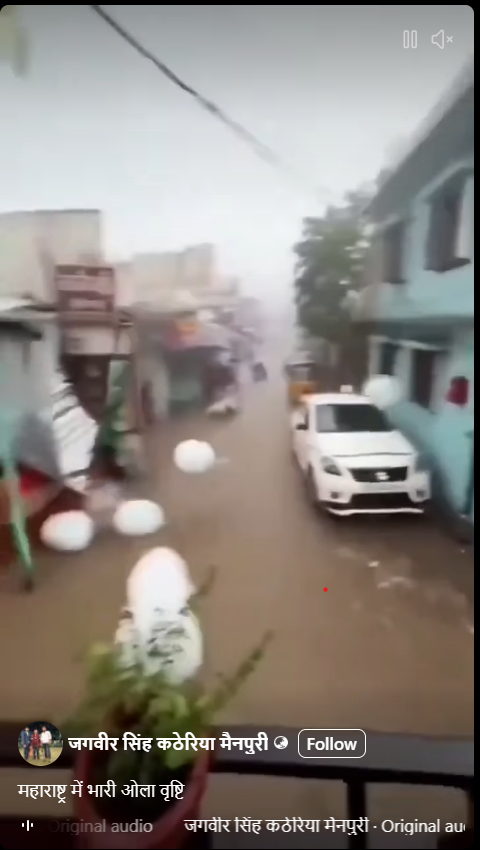
A video showing unusually large hailstones falling from the sky and damaging parked vehicles is being widely circulated on social media. Users are claiming that the video shows a severe hailstorm in Maharashtra amid the ongoing heatwave conditions in several parts of the country. CyberPeace Research Wing research found the claim to be false. The viral clip is not a real weather event and has been identified as AI-generated content.
Claim:
Social media users shared the video claiming it shows heavy hailstorm in Maharashtra, with captions suggesting widespread damage caused by extreme weather. https://www.facebook.com/reel/1741412617041722, https://archive.is/W2QxM
Fact Check:
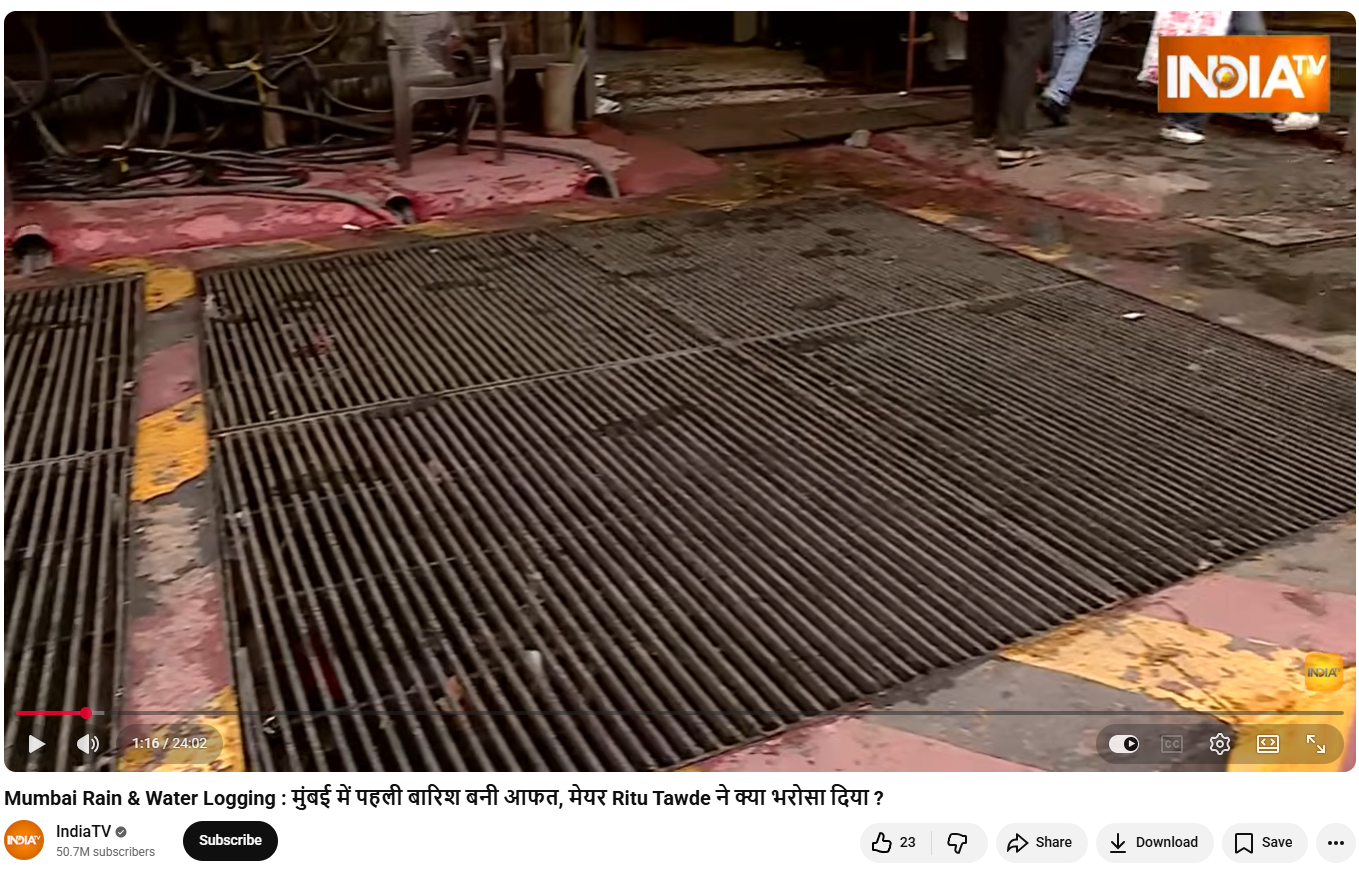
A reverse image search of keyframes from the viral video did not yield any credible media reports linking the visuals to any real hailstorm in Maharashtra or elsewhere.
https://www.youtube.com/watch?v=ZRsWLRowbao
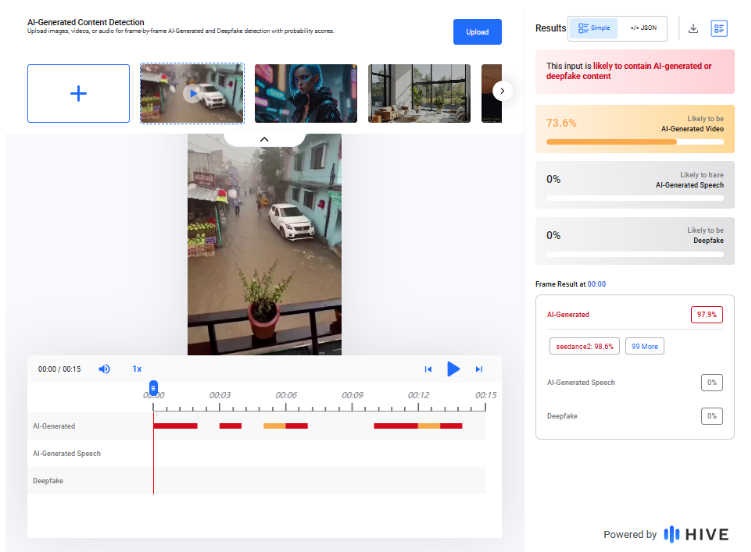
Closer examination of the video revealed multiple inconsistencies, including unnatural movement and unrealistic size and behavior of hailstones, which are commonly associated with AI-generated visuals. The video was further analysed using AI detection tools. Hive Moderation flagged the content as likely AI-generated.
Similarly, Sightengine analysis indicated a 99% probability that the visuals were artificially created.

Conclusion:
The research confirms that the viral video claiming to show a massive hailstorm in Maharashtra is not real. The visuals are AI-generated and do not depict any actual weather event.

Related Blogs

Introduction
The Chairman of Vardhman Group, Mr SP Oswal, an India-based textile manufacturer, fell victim to a cyber fraud scheme that cost him ₹7 crore. The scam unfolded on August 28 and 29, conning Mr Oswal into transferring Rs 7 crore into multiple bank accounts. As per the recent reports, the Police have managed to freeze these accounts and recover over Rs 5 crore as of now. The fraudsters convinced Mr SP Oswal that he was a suspect in a money laundering investigation and held on a “Digital Arrest”. These are sophisticated cyber frauds where cyber-criminals impersonate law enforcement officials or other authorities and target innocent individuals with manipulative tactics. The scam targets are often contacted out of the blue, on Instant messaging apps like WhatsApp and informed that their bank accounts, digital identities, or other online assets have been compromised. Criminals play into the victims' fear by threatening them with imminent arrest, legal consequences, or public humiliation if they don't cooperate with a series of urgent demands.
Posing as Officials, Fraudsters Orchestrate ₹7 Crore Scam
The investigation revealed that the fraudsters posed as members of the Central Bureau of Investigation (CBI). They had contacted Mr Oswal and claimed that his Aadhaar had been misused in a case involving fake passports and financial fraud. The imposter conducted a video call in a police uniform using a background with the CBI logo. The fraud escalated further, Mr Oswal got a fake "arrest warrant" on WhatsApp allegedly authorised by the Supreme Court. Fraudsters convinced Mr Oswal to transfer ₹7 crores to facilitate bail proceedings, claiming he was under "digital arrest". The meticulously planned scam involved fake documents, a virtual courtroom, and relentless intimidation tactics leaving Mr Oswal effectively under "digital arrest" for two days. While the police have successfully recovered over Rs 5 crore so far, this case highlights the alarming threat of digital impersonation of law enforcement authorities.
Legal Outlook on the Validity of Digital Arrests
In India, the main laws governing cyber crimes are the Information Technology Act, of 2000 and the rules made under therein, and the newly enacted Bhartiya Nyaya Sanhita, 2023. Recently enacted new criminal laws do not provide for any provision for law enforcement agencies conducting a digital arrest. The law only provides for service of the summons and the proceedings in an electronic mode. Hence, there are no provisions for conducting 'digital arrests' as per the laws of the country.
Further, It should be noted that the Indian Cyber Crime Coordination Centre (I4C), under the Ministry of Home Affairs, coordinates the activities related to combating cybercrime in the country. MHA works closely with other ministries to counter these frauds. The I4C also provides technical support to the police authorities of states/UTs for the identification and investigation of these cases.
Best Practices to Avoid Digital Arrest Scams
- To protect yourself from scams, it is crucial to verify the identity of individuals claiming to be law enforcement or government officials and use official contact channels to confirm their credentials.
- Be cautious of pressure tactics used by fraudsters, especially demands for quick payment over unverified communication platforms like WhatsApp.
- Cross-check official documents with legal advisors or relevant authorities.
- Never share sensitive personal information, such as your Aadhaar number, over phone calls, emails, or messages without verifying the request's authenticity.
- Avoid untraceable payments, such as cryptocurrency or prepaid cards, without validating the transaction's legitimacy, especially under duress.
- Stay informed on scam techniques, particularly those involving impersonation and digital threats.
- Enable Two-Factor Authentication (2FA) for sensitive online accounts to prevent misuse.
- Consult advice from legal professionals if you receive threatening communication involving digital arrest or legal actions and do not take any action on the asks of persons posing as legitimate authorities.
- In case of any cybercrime, you can file a complaint at cybercrime.gov.in or helpline number 1930. You can also seek assistance from the CyberPeace helpline at +91 9570000066.
Conclusion
The digital arrest of Vardhman Group's CEO underscores the increasing sophistication of cyber fraud schemes, which exploit fear and urgency, leading to severe financial and reputational harm. No one is immune from cybercrime, vigilance is essential at all leadership levels. While laws like the IT Act and initiatives taken by the I4C help combat cybercrime, rapidly evolving threats demand proactive safety measures. Beyond the possibility of financial loss, incidents like this jeopardise brand reputation, investor confidence, and operational stability. Be cautious of such threats and exercise due care and caution while navigating the digital landscape. Be aware of such kinds of scams and the manipulative tactics used by fraudsters to avoid them. By staying vigilant and aware we can avoid the growing scam of digital arrests.
References
- https://www.business-standard.com/companies/news/digital-arrest-and-rs-7-crore-heist-how-vardhman-group-head-was-tricked-124100100832_1.html
- https://www.hindustantimes.com/business/vardhman-group-chairman-sp-oswal-duped-of-rs-7-crore-fraudsters-posed-as-cbi-101727666912738.html
- https://www.msspalert.com/native/digital-arrests-the-new-frontier-of-cybercrime

Executive Summary:
A video is circulating on social media claiming to be footage of the aftermath of Iran's missile strikes on Israel. The video shows destruction, damaged infrastructure, and panic among civilian casualties. After our own digital verification, visual inspection, and frame-by-frame inspection, we have determined that the video is fake. The video is just AI-generated clips and not related to any incident.

Claim:
The viral video claims that a recent military strike by Iran resulted in the destruction of parts of Israel, following an initial missile attack launched by Iran. The footage appears current and depicts significant destruction of buildings and widespread chaos in the streets.

FACT CHECK:
We conducted our research on the viral video to determine if it was AI-generated. During the research we broke the video into individual still frames, and upon closely examining the frames, several of the visuals he showed us had odd-shaped visual features, abnormal body proportions, and flickering movements that don't occur in real footage. We took several still frames and checked them in image search sites to see if they had appeared before. The search results revealed that several clips in the video had appeared previously, in separate and unrelated circumstances, which indicates that they are neither recent nor original.

While examining the Instagram profile, we noticed that the account frequently shares visually dramatic AI content that appears digitally created. Many earlier posts from the same page include scenes that are unrealistic, such as wrecked aircraft in desolate areas or buildings collapsing in unnatural ways. In the current video, for instance, the fighter jets shown have multiple wings, which is not technically or aerodynamically possible in real life. The profile’s bio, which reads "Resistance of Artificial Intelligence," suggests that the page intentionally focuses on sharing AI-generated or fictional content.

We also ran the viral post through Tenorshare.AI for Deep-Fake detection, and the result came 94% AI. All findings resulting from our research established that the video is synthetic and unrelated to any event occurring in Israel, and therefore debunked a false narrative propagated on social media.

Conclusion:
Our research found that the video is fake and contains AI-generated images and is not related to any real missile strike or destruction occurring in Israel. The source is specific to fuel the panic and misinformation in a context of already-heightened geopolitical tension. We call on viewers not to share this unverified information and to rely on trusted sources. When there are sensitive international developments, the dissemination of fake imagery can promote fear, confusion, and misinformation on a global scale.
- Claim: Real Footage of Iran’s Missile Strikes on Israel
- Claimed On: Social Media
- Fact Check: False and Misleading
Executive Summary
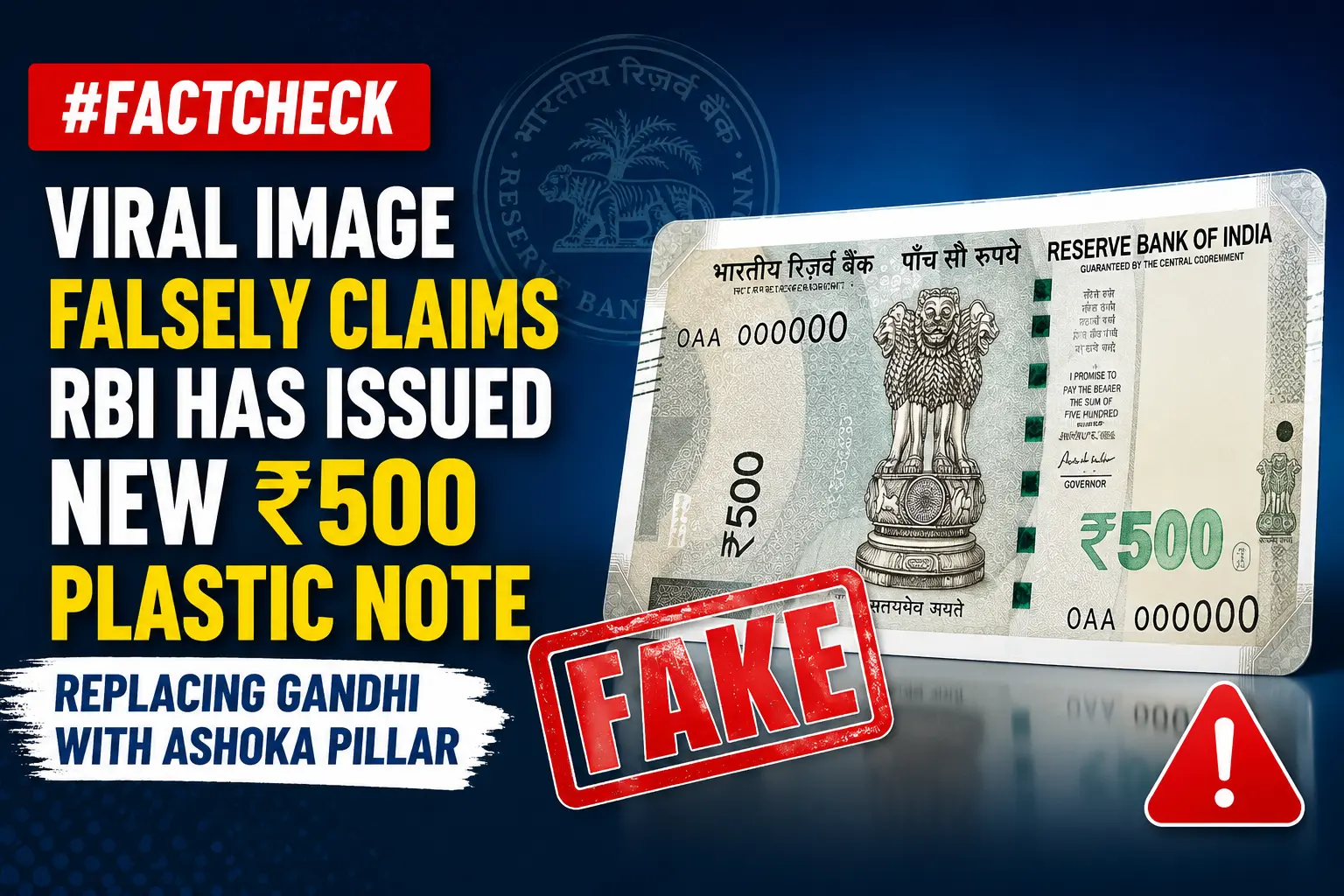
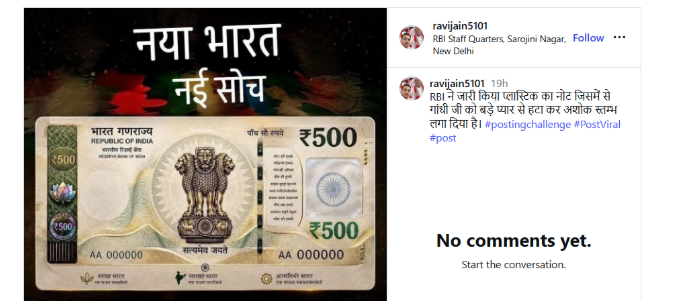
An image of a purported new ₹500 plastic banknote is being widely shared on social media. Users claim that the Reserve Bank of India (RBI) has issued the new note and replaced Mahatma Gandhi’s portrait with the Ashoka Pillar.The CyberPeace Research Wing research found the claim to be misleading. The probe revealed that RBI has not issued any new ₹500 plastic banknote. Furthermore, no official announcement or decision has been made regarding the removal of Mahatma Gandhi’s portrait from Indian currency and its replacement with the Ashoka Pillar.
Claim
An Instagram user shared the viral image with the claim: “RBI has issued a ₹500 plastic note in which Mahatma Gandhi’s image has been removed and replaced with the Ashoka Pillar.” The claim has been widely circulated on social media, with many users sharing the image as genuine. The post link, archived version, and screenshot can be seen below.
Fact Check
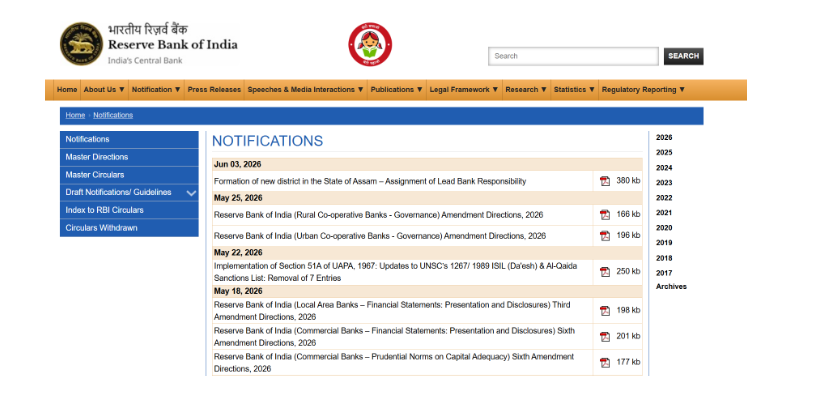
To verify the claim, we conducted a keyword search on Google. However, we found no credible media reports suggesting that RBI had issued a new ₹500 plastic note featuring the Ashoka Pillar in place of Mahatma Gandhi. We then searched the official RBI website for any notification or announcement related to the claim. Our search yielded no official communication supporting the viral claim.
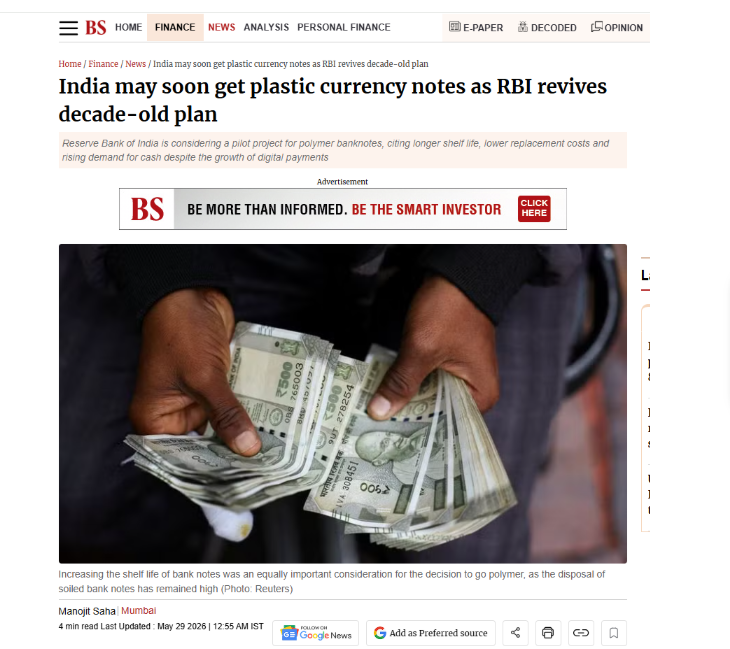
During the research, we also came across a report published by Business Standard. According to the report, the Reserve Bank of India is exploring the possibility of introducing polymer (plastic) currency notes in the future. The report states that RBI is studying and discussing the proposal in view of the growing global adoption of polymer notes and their greater durability. However, the report does not state that RBI has already issued a new ₹500 plastic note. Nor does it mention any decision to remove Mahatma Gandhi’s portrait from existing currency notes and replace it with the Ashoka Pillar.
- https://www.business-standard.com/finance/news/rbi-set-to-unveil-polymer-rupee-notes-amid-rising-currency-demand-126052801725_1.html
Conclusion
The research found that the viral claim is misleading. RBI has not issued any new ₹500 plastic banknote, and there has been no official announcement or decision to replace Mahatma Gandhi’s portrait on Indian currency with the Ashoka Pillar.
