
#FactCheck-AI-Generated Newspaper Clipping Falsely Claims Salman Khan Was Injured in Firing Incident Introduction
Executive Summary
A newspaper clipping is being widely shared on social media with the claim that more than 200 bullets were fired at actor Salman Khan’s vehicle, two of which allegedly hit him and left him seriously injured. CyberPeace Research Wing’s research found the viral claim to be false. The research revealed that Salman Khan is safe and healthy, and there is no credible information confirming any such firing incident. The probe further found that the alleged newspaper clipping circulating on social media was created using Artificial Intelligence (AI).
Claim
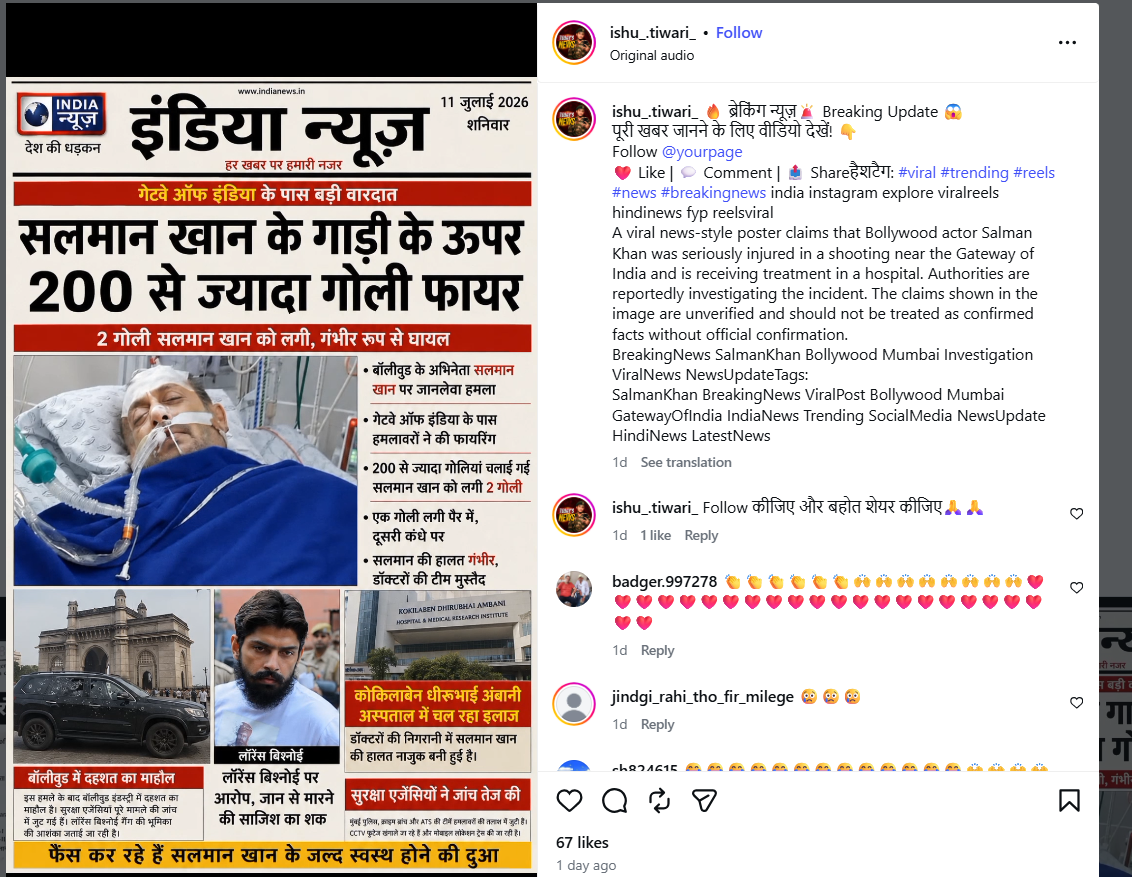
An Instagram user shared the viral newspaper clipping on July 11, 2026, claiming that more than 200 bullets were fired at Salman Khan’s vehicle, two bullets hit him, and he was seriously injured.
https://www.instagram.com/reel/DaqNtAfSGyI/
https://ghostarchive.org/archive/81qpF
Fact Check
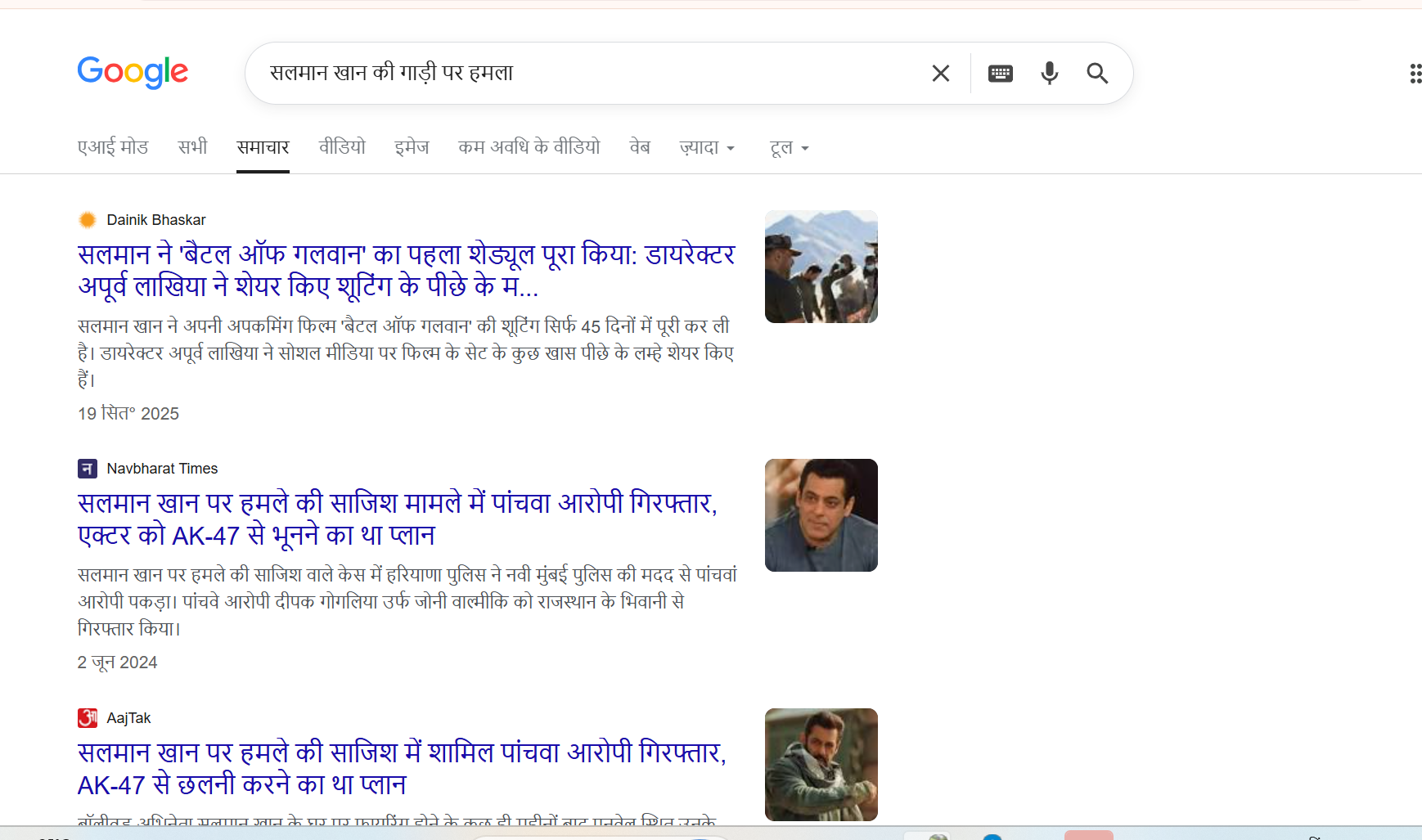
To verify the viral claim, we conducted a keyword-based search on Google. However, we did not find any credible media report confirming that Salman Khan was injured in any such firing incident.
During further research, we found a report published by Dainik Bhaskar on July 11, 2026. According to the report, actor Salman Khan sold another apartment located in Bandra, Mumbai. The report did not mention any incident involving an attack or injury.
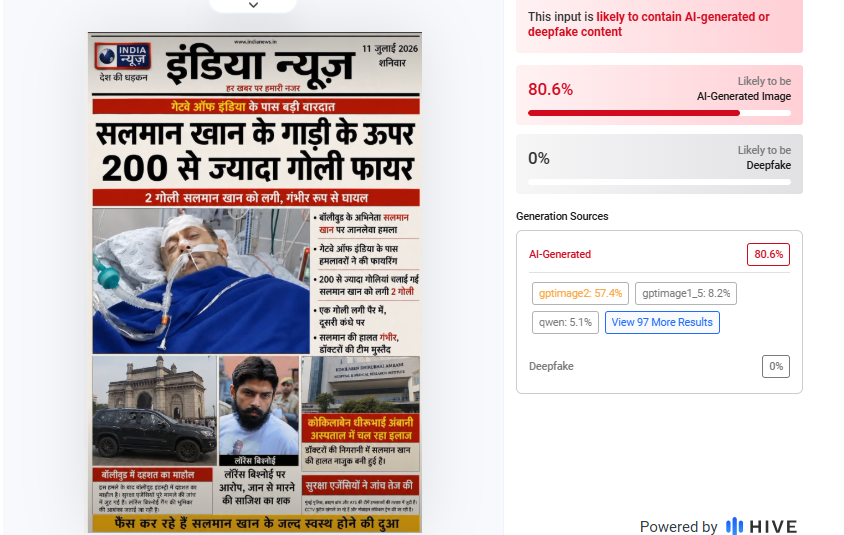
In the next step of the research, we analysed the viral newspaper clipping using the AI detection tool Hive Moderation. The tool’s analysis indicated an 80% probability that the newspaper clipping was AI-generated.
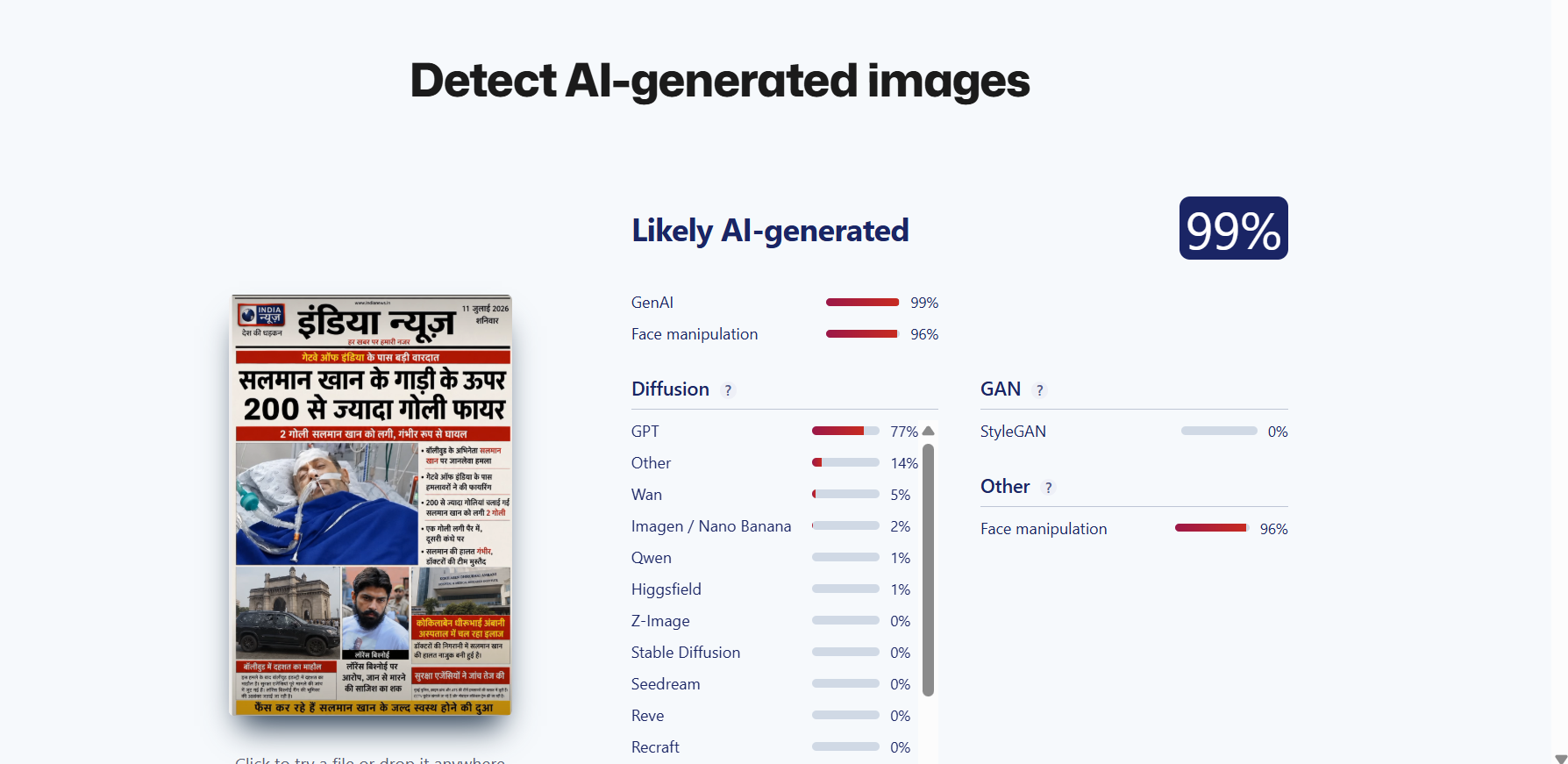
For further verification, the viral image was also checked using another AI detection tool, Sightengine. The tool’s result showed a 99% probability that the image was AI-generated.
Conclusion
Our research found that the viral claim is false. There is no evidence that actor Salman Khan was injured in a firing incident or that more than 200 bullets were fired at his vehicle. The alleged newspaper clipping being circulated on social media was found to be AI-generated and is being shared with a false narrative

Related Blogs
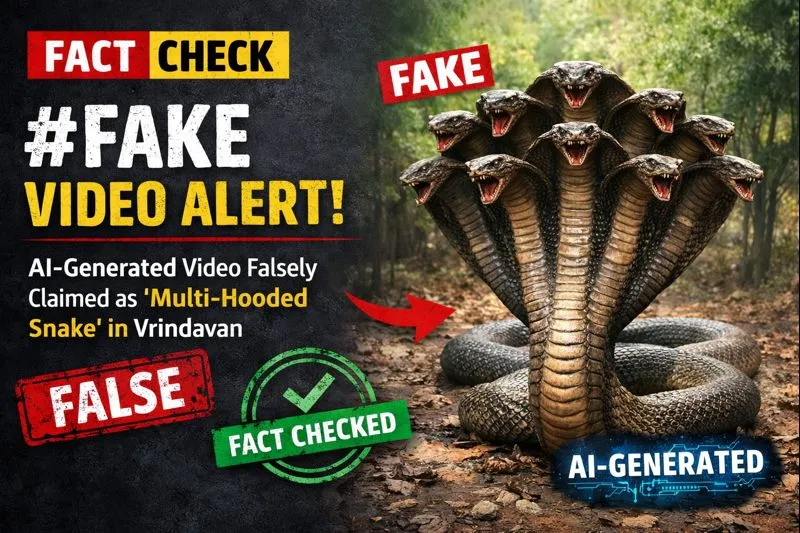
A video is being widely shared on social media showing devotees seated in a boat appearing stunned as a massive, multi-hooded snake—resembling the mythical Sheshnag—suddenly emerges from the middle of a water body.
The video captures visible panic and astonishment among the devotees. Social media users are sharing the clip claiming that it is from Vrindavan, with some portraying the sight as a divine or supernatural event. However, research conducted by the Cyber Peace Foundation found the viral claim to be false. Our research revealed that the video is not authentic and has been generated using artificial intelligence (AI).
Claim
On January 17, 2026, a user shared the viral video on Instagram with the caption suggesting that God had appeared again in the age of Kalyug. The post claims that a terrifying video from Vrindavan has surfaced in which devotees sitting in a boat were shocked to see a massive multi-hooded snake emerge from the water. The caption further states that devotees are hailing the creature as an incarnation of Sheshnag or Vasuki Nag, raising religious slogans and questioning whether the sight represents a divine sign. (The link to the post, its archive link, and screenshots are available.)
- https://www.instagram.com/reel/DTngN9FkoX0/?igsh=MTZvdTN1enI2NnFydA%3D%3D
- https://archive.ph/UuAqB
Fact Check:
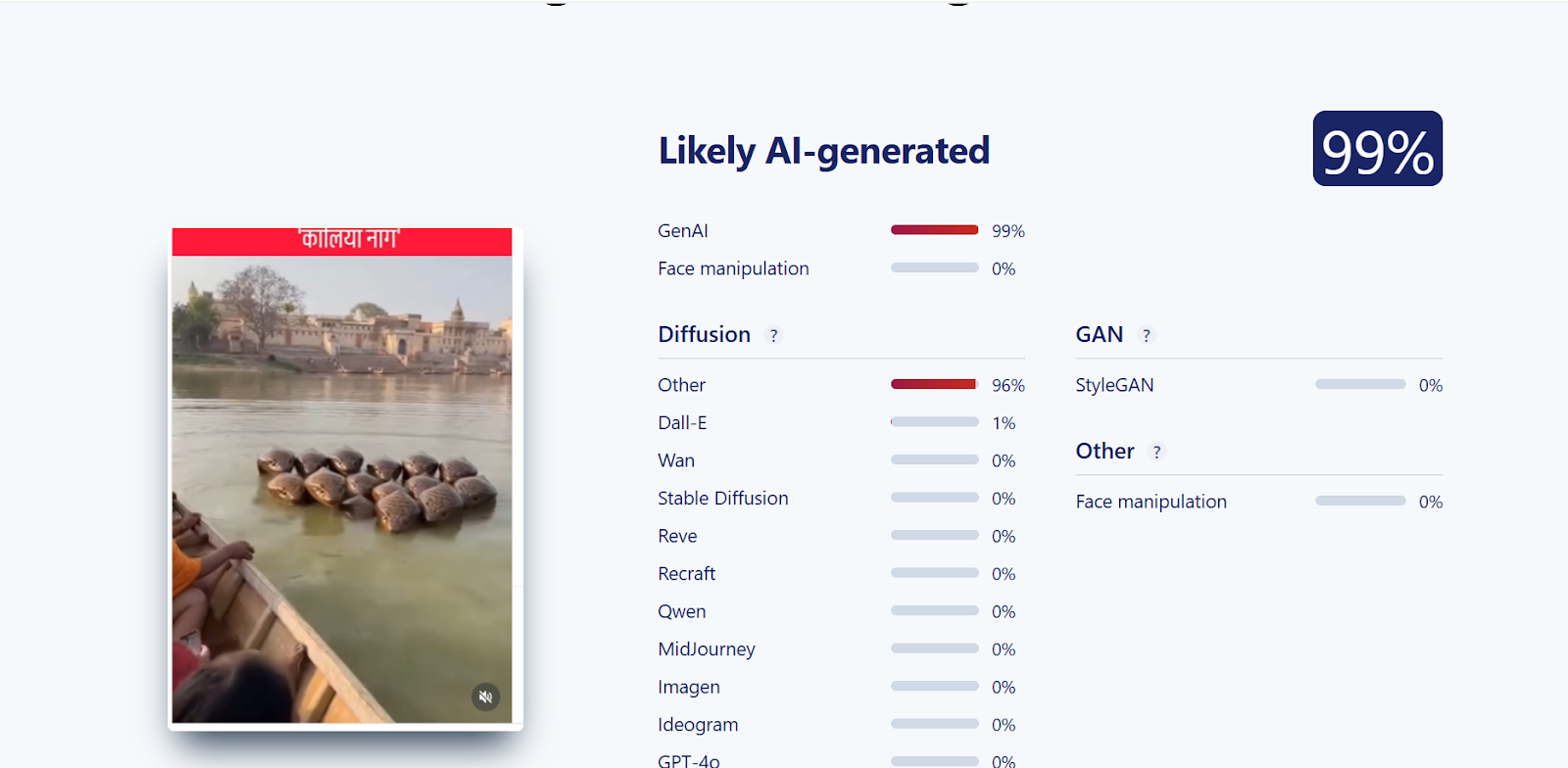
Upon closely examining the viral video, we suspected that it might be AI-generated. To verify this, the video was scanned using the AI detection tool SIGHTENGINE, which indicated that the visual is 99 per cent AI-generated.
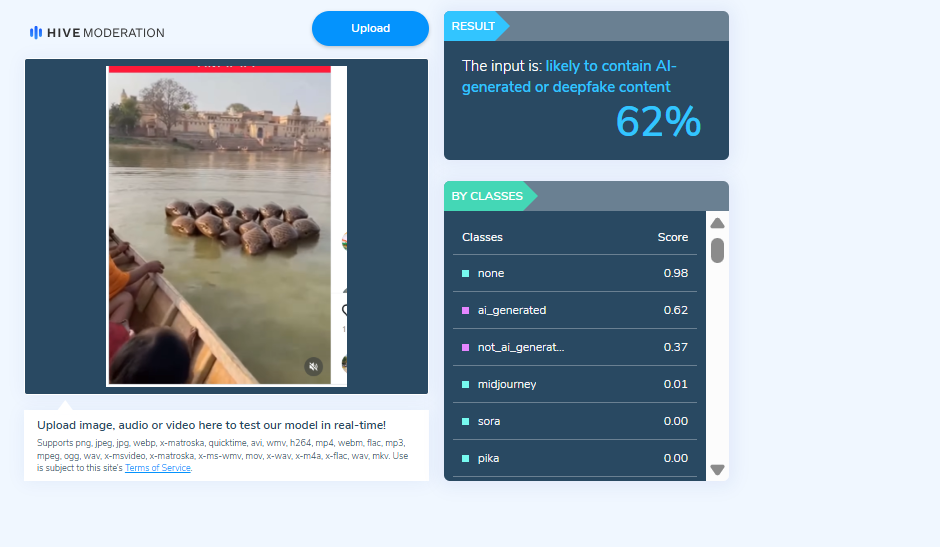
In the next step of the research , the video was analysed using another AI detection tool, HIVE Moderation. According to the results obtained, the video was found to be 62 per cent AI-generated.
Conclusion
Our research clearly establishes that the viral video claiming to show a multi-hooded snake in Vrindavan is not real. The clip has been created using artificial intelligence and is being falsely shared on social media with religious and sensational claims.
Executive Summary
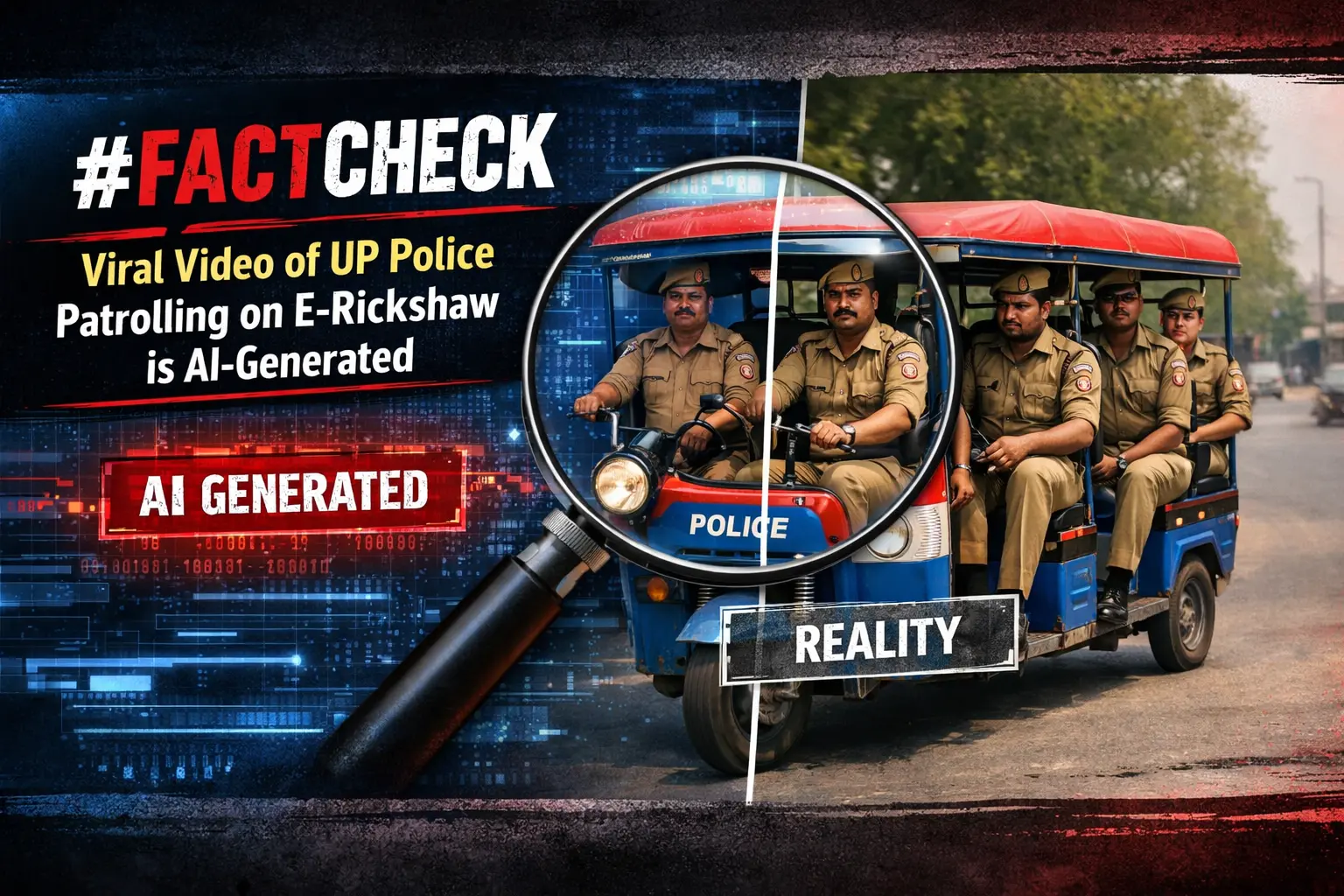
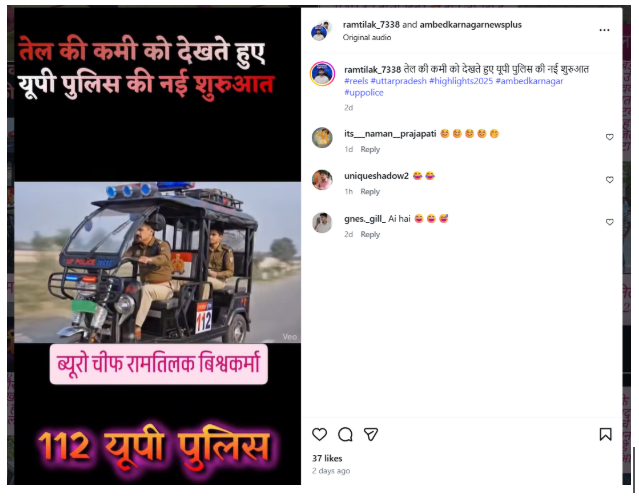
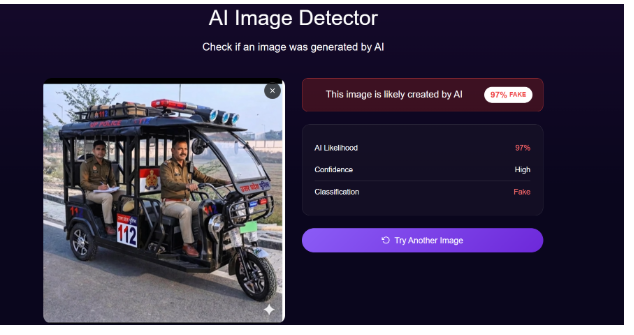
A video is being widely shared on social media showing a police officer driving an e-rickshaw, while two other policemen are seen in the back seat. Users sharing the clip claim that, due to a shortage of petrol, this is a new initiative by the Uttar Pradesh Police. However, research by CyberPeace found the viral claim to be false. Our research also confirms that the video is not real but AI-generated.
Claim
An Instagram user shared the viral video claiming that due to fuel shortages, Uttar Pradesh Police has started patrolling using e-rickshaws.
- Post link: https://www.instagram.com/reel/DWepKWXAeiE/
- Archive: https://archive.ph/QBNXs
Fact Check
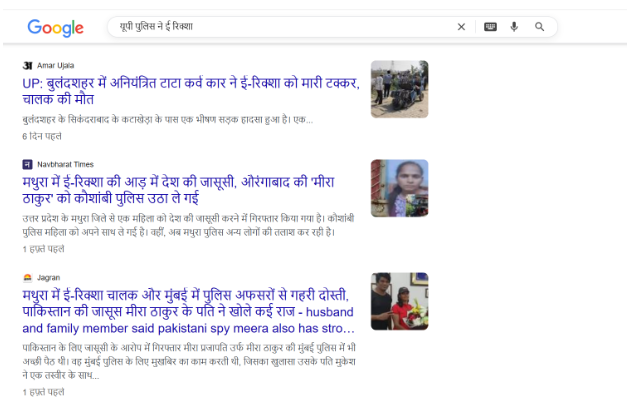
To verify the claim, we first conducted a keyword search on Google but found no credible media reports supporting this claim.
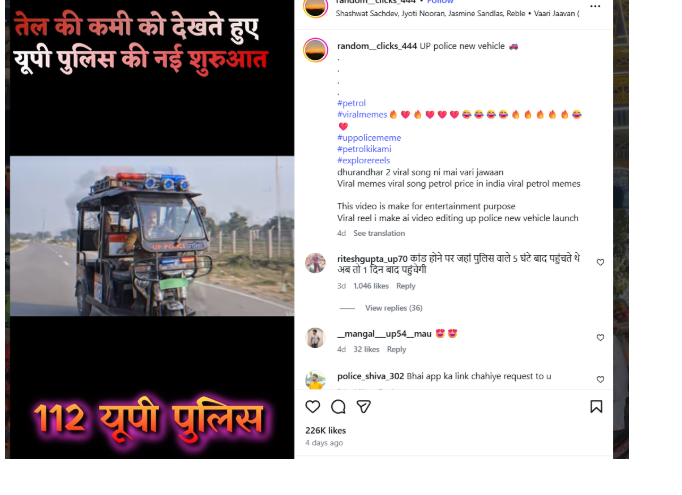
Next, we extracted keyframes from the viral video and performed a reverse image search using Google Lens. During this process, we found the same video uploaded on an Instagram channel on March 28, 2026. The uploader clearly mentioned that the video was created purely for entertainment purposes.
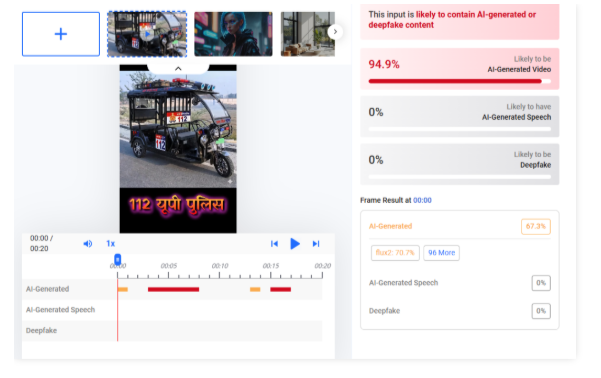
We further analyzed the video using AI detection tools. When scanned with Hive Moderation, the results indicated that the video is approximately 94% AI-generated.
In the next step, we also tested the clip using DeepAI. According to its analysis, the video is about 97% AI-generated.
Conclusion
Our research clearly shows that the viral video is not authentic. It is an AI-generated clip created for entertainment purposes, and the claim that Uttar Pradesh Police has started e-rickshaw patrolling due to petrol shortage is false.

Introduction
Since February 2020 the government has been taking keen steps to safeguard the Indian markets and the consumer, this could be seen in the forms of policies and exemptions for the market players and the consumers, however, due to the COVID-19 pandemic, the markets places became vulnerable to loss and various forms of new crimes and frauds. The Government recently tabled the Jan Vishwas bill which is an aftermath of the Vivad se Vishwas Bill, 2020 which was tabled in February 2020 for creating a safe and dynamic market, this bill is a clear example of how AtmaNirbhar Bharat plays a crucial role in nations development.
What is Jan Vishwas Bill, 2022
The Jan Vishwas (Amendment of Provisions) Bill, 2022 is a 108-page bill introduced in the Lok Sabha by the Union Minister of Commerce and Industry, Piyush Goyal. The statement of objects and reasons of the Bill states, “To amend certain enactments for decriminalizing and rationalizing minor offenses to further enhance trust-based governance for ease of living and doing business.” The bill aims to promote ease of doing business in India by decriminalizing minor offences and amending 183 provisions in 42 Acts administered by 19 ministries. The bill proposes to replace minor offences with monetary penalties and rationalize existing monetary penalties based on the gravity of the offences. The Acts to be amended by the bill include-
- Drugs and Cosmetics Act, 1940
- Public Debt Act, 1944
- Pharmacy Act, 1948
- Cinematograph Act, 1952
- Copyright Act, 1957
- Patents Act, 1970
- Environment (Protection) Act, 1986
- Motor Vehicles Act, 1988
- Trade Marks Act, 1999l Railways Act, 1989
- Information Technology Act, 2000
- Prevention of Money-laundering Act, 2002
- Food Safety and Standards Act, 2006
- Legal Metrology Act, 2009
- Factoring Regulation Act, 2011
The bill aims to decriminalize a large number of minor offences and replace them with monetary penalties. This step by the government is a clear indication of how important the market regulations are, in recent times Google was imposed with a penalty of 1300 crores and 900 crores for violating competitive market practices, these penalties, and criminalised actions will ensure proper compliance to laws of the land thus creating a blanket of safeguards for the Indian consumer and netizen.
What will the Ease of Business be?
The Government has been critical in pinpointing various parameters and factors to improve the ease of business in the country, this bill comes at the right time when we can see numerous start-ups and entrepreneurs emerging in our country. The parameters are as follows-
- Starting a Business of all
- Dealing with Construction Permits
- Getting Electricity
- Registering Property
- Getting Credit
- Protecting
- Minority Investors
- Paying Taxes
- Trading across Borders
- Enforcing Contracts and Resolving Insolvency
These parameters have been created with a sight on the future of the markets and how external factors like the Russia-Ukraine war can influence the markets. According to Minister Piyush Goyal, the fear of imprisonment for minor offences is a major factor hindering the growth of the business ecosystem and individual confidence in India. The Jan Vishwas Bill, 2022 aims to address this issue by replacing minor offences with monetary penalties. The bill also proposes an increase of 10% in the minimum amount of fine and penalty levied after every three years, once the bill becomes a law.
Conclusion
The bill will create a level playing field for the market players and the consumers with the backing of strong legislation and precedents thus maintaining transparency and accountability in the system. The amended provisions will allow various already existing legislation to come in tune with the current times and emerging technologies. The nation is at a critical juncture to fabricate policies and laws to address the issues and threats of the future and hence such a bill will be the strengthening pillar of the Indian markets and cyber-ecosystem. The Jan Vishwas Bill, 2022 has been referred to a 31-member joint parliamentary committee for scrutiny. The committee includes members from the Lok Sabha and the Rajya Sabha and will submit its report to parliament by the second part of the Budget session in 2023, The members from the Lok Sabha include PP Chaudhary, Sanjay Jaiswal, Queen Ojha, Rajendra Agrawal, Gaurav Gogoi, A Raja, Rajendra Agarwal, Poonam Pramod Mahajan, and Sougata Ray.
