
#FactCheck: Viral AI image shown as AI -171 caught fire after collision
Executive Summary:
A dramatic image circulating online, showing a Boeing 787 of Air India engulfed in flames after crashing into a building in Ahmedabad, is not a genuine photograph from the incident. Our research has confirmed it was created using artificial intelligence.

Claim:
Social media posts and forwarded messages allege that the image shows the actual crash of Air India Flight AI‑171 near Ahmedabad airport on June 12, 2025.

Fact Check:
In our research to validate the authenticity of the viral image, we conducted a reverse image search and analyzed it using AI-detection tools like Hive Moderation. The image showed clear signs of manipulation, distorted details, and inconsistent lighting. Hive Moderation flagged it as “Likely AI-generated”, confirming it was synthetically created and not a real photograph.

In contrast, verified visuals and information about the Air India Flight AI-171 crash have been published by credible news agencies like The Indian Express and Hindustan Times, confirmed by the aviation authorities. Authentic reports include on-ground video footage and official statements, none of which feature the viral image. This confirms that the circulating photo is unrelated to the actual incident.

Conclusion:
The viral photograph is a fabrication, created by AI, not a real depiction of the Ahmedabad crash. It does not represent factual visuals from the tragedy. It’s essential to rely on verified images from credible news agencies and official investigation reports when discussing such sensitive events.
- Claim: An Air India Boeing aircraft crashed into a building near Ahmedabad airport
- Claimed On: Social Media
- Fact Check: False and Misleading

Related Blogs
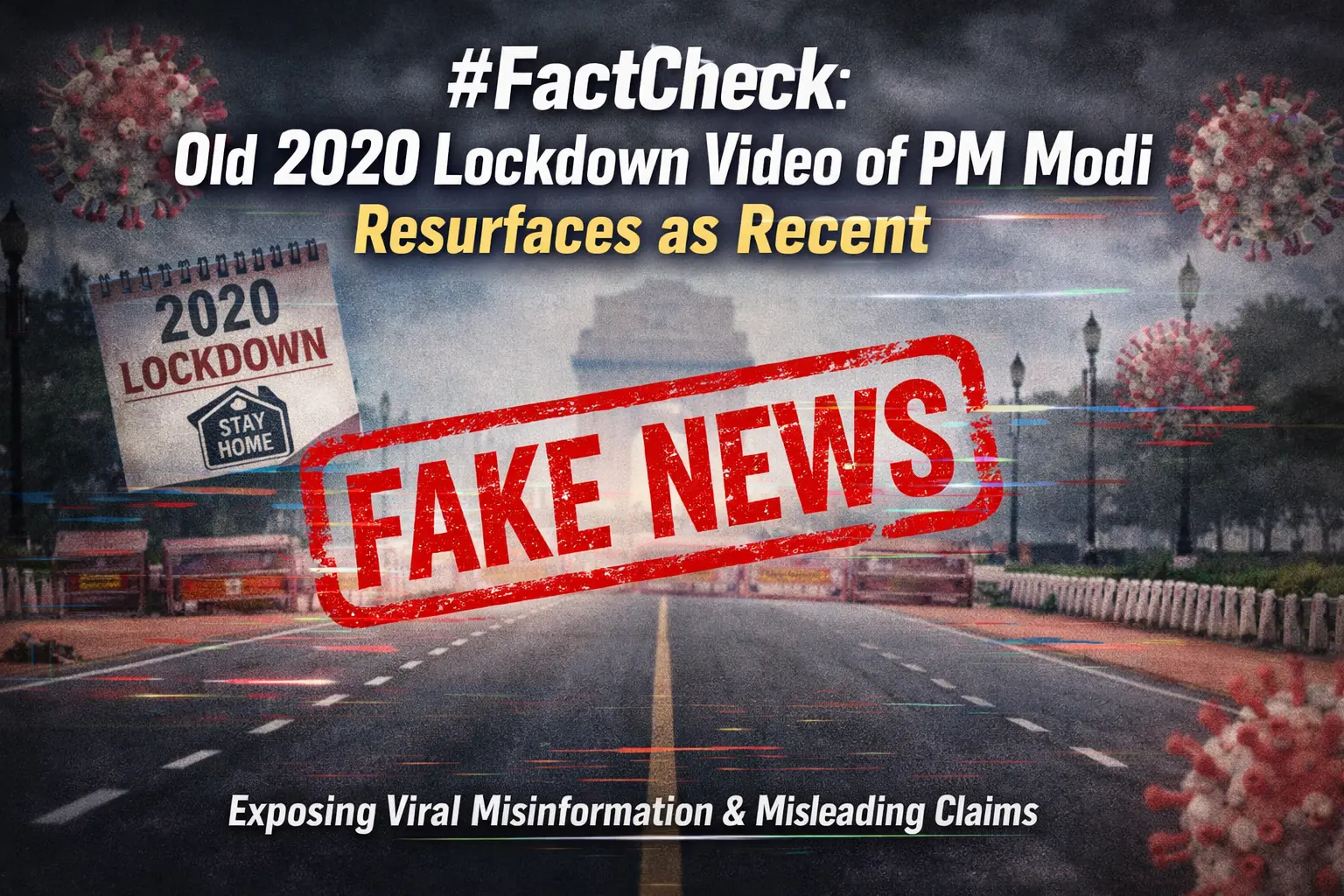
Executive Summary
A video is being shared on social media in which Prime Minister Narendra Modi can be heard saying that “a complete lockdown will be imposed from midnight to save the country.” Research by the CyberPeace found the viral claim to be misleading. Our probe revealed that the video is from March 2020, when PM Modi had announced a nationwide lockdown to curb the spread of COVID-19.
Claim:
An Instagram user shared the viral video on March 25, 2026. The link and archive link of the post are given below.
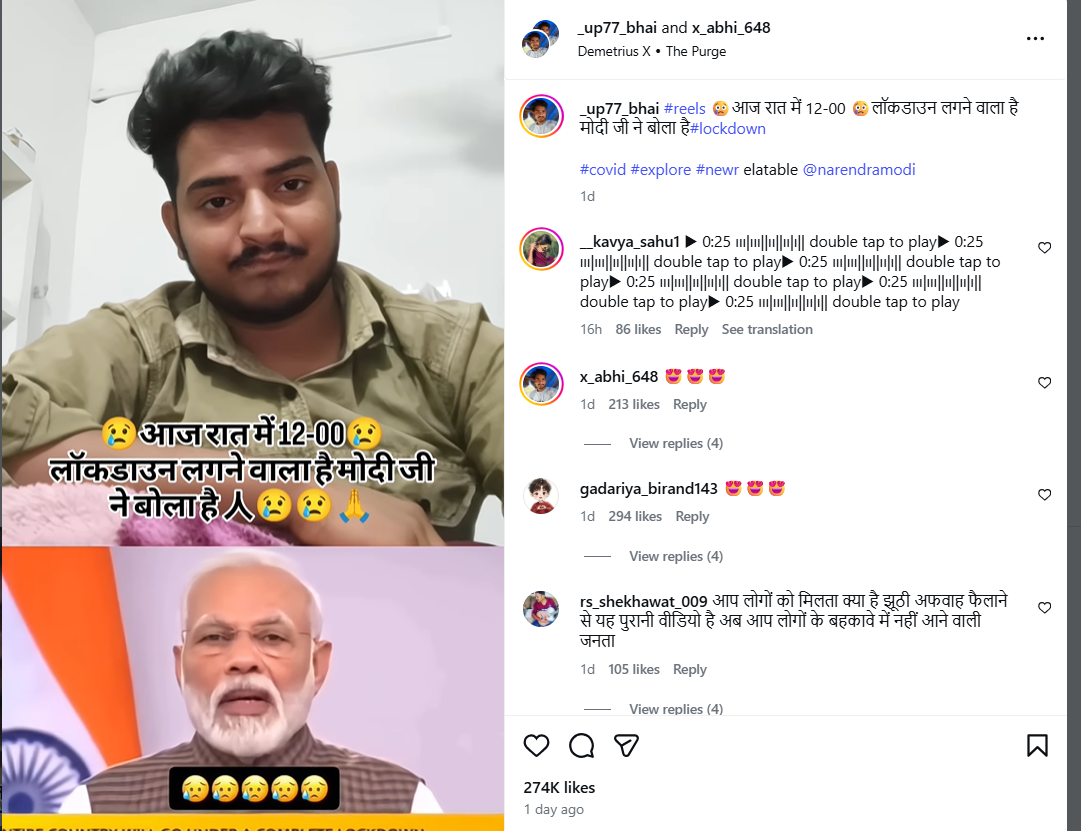
Fact Check:
To verify the claim, we conducted a keyword search on Google. However, we did not find any credible media reports confirming that such a lockdown announcement had been made recently. We then extracted keyframes from the viral video and performed a reverse image search using Google Lens. During this process, we found the same video on a YouTube channel, where it had been uploaded on March 24, 2020.
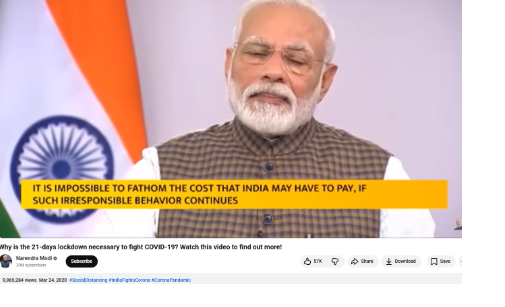
The viral portion of the clip appears around the 40-second mark in the original video.
Conclusion:
Our research found that the viral video is not recent. It dates back to March 24, 2020, when PM Modi announced a nationwide lockdown during the COVID-19 pandemic. The clip is being shared with a misleading claim.

The World Economic Forum reported that AI-generated misinformation and disinformation are the second most likely threat to present a material crisis on a global scale in 2024 at 53% (Sept. 2023). Artificial intelligence is automating the creation of fake news at a rate disproportionate to its fact-checking. It is spurring an explosion of web content mimicking factual articles that instead disseminate false information about grave themes such as elections, wars and natural disasters.
According to a report by the Centre for the Study of Democratic Institutions, a Canadian think tank, the most prevalent effect of Generative AI is the ability to flood the information ecosystem with misleading and factually-incorrect content. As reported by Democracy Reporting International during the 2024 elections of the European Union, Google's Gemini, OpenAI’s ChatGPT 3.5 and 4.0, and Microsoft’s AI interface ‘CoPilot’ were inaccurate one-third of the time when engaged for any queries regarding the election data. Therefore, a need for an innovative regulatory approach like regulatory sandboxes which can address these challenges while encouraging responsible AI innovation is desired.
What Is AI-driven Misinformation?
False or misleading information created, amplified, or spread using artificial intelligence technologies is AI-driven misinformation. Machine learning models are leveraged to automate and scale the creation of false and deceptive content. Some examples are deep fakes, AI-generated news articles, and bots that amplify false narratives on social media.
The biggest challenge is in the detection and management of AI-driven misinformation. It is difficult to distinguish AI-generated content from authentic content, especially as these technologies advance rapidly.
AI-driven misinformation can influence elections, public health, and social stability by spreading false or misleading information. While public adoption of the technology has undoubtedly been rapid, it is yet to achieve true acceptance and actually fulfill its potential in a positive manner because there is widespread cynicism about the technology - and rightly so. The general public sentiment about AI is laced with concern and doubt regarding the technology’s trustworthiness, mainly due to the absence of a regulatory framework maturing on par with the technological development.
Regulatory Sandboxes: An Overview
Regulatory sandboxes refer to regulatory tools that allow businesses to test and experiment with innovative products, services or businesses under the supervision of a regulator for a limited period. They engage by creating a controlled environment where regulators allow businesses to test new technologies or business models with relaxed regulations.
Regulatory sandboxes have been in use for many industries and the most recent example is their use in sectors like fintech, such as the UK’s Financial Conduct Authority sandbox. These models have been known to encourage innovation while allowing regulators to understand emerging risks. Lessons from the fintech sector show that the benefits of regulatory sandboxes include facilitating firm financing and market entry and increasing speed-to-market by reducing administrative and transaction costs. For regulators, testing in sandboxes informs policy-making and regulatory processes. Looking at the success in the fintech industry, regulatory sandboxes could be adapted to AI, particularly for overseeing technologies that have the potential to generate or spread misinformation.
The Role of Regulatory Sandboxes in Addressing AI Misinformation
Regulatory sandboxes can be used to test AI tools designed to identify or flag misinformation without the risks associated with immediate, wide-scale implementation. Stakeholders like AI developers, social media platforms, and regulators work in collaboration within the sandbox to refine the detection algorithms and evaluate their effectiveness as content moderation tools.
These sandboxes can help balance the need for innovation in AI and the necessity of protecting the public from harmful misinformation. They allow the creation of a flexible and adaptive framework capable of evolving with technological advancements and fostering transparency between AI developers and regulators. This would lead to more informed policymaking and building public trust in AI applications.
CyberPeace Policy Recommendations
Regulatory sandboxes offer a mechanism to predict solutions that will help to regulate the misinformation that AI tech creates. Some policy recommendations are as follows:
- Create guidelines for a global standard for including regulatory sandboxes that can be adapted locally and are useful in ensuring consistency in tackling AI-driven misinformation.
- Regulators can propose to offer incentives to companies that participate in sandboxes. This would encourage innovation in developing anti-misinformation tools, which could include tax breaks or grants.
- Awareness campaigns can help in educating the public about the risks of AI-driven misinformation and the role of regulatory sandboxes can help manage public expectations.
- Periodic and regular reviews and updates to the sandbox frameworks should be conducted to keep pace with advancements in AI technology and emerging forms of misinformation should be emphasized.
Conclusion and the Challenges for Regulatory Frameworks
Regulatory sandboxes offer a promising pathway to counter the challenges that AI-driven misinformation poses while fostering innovation. By providing a controlled environment for testing new AI tools, these sandboxes can help refine technologies aimed at detecting and mitigating false information. This approach ensures that AI development aligns with societal needs and regulatory standards, fostering greater trust and transparency. With the right support and ongoing adaptations, regulatory sandboxes can become vital in countering the spread of AI-generated misinformation, paving the way for a more secure and informed digital ecosystem.
References
- https://www.thehindu.com/sci-tech/technology/on-the-importance-of-regulatory-sandboxes-in-artificial-intelligence/article68176084.ece
- https://www.oecd.org/en/publications/regulatory-sandboxes-in-artificial-intelligence_8f80a0e6-en.html
- https://www.weforum.org/publications/global-risks-report-2024/
- https://democracy-reporting.org/en/office/global/publications/chatbot-audit#Conclusions

Executive Summary:
A video has gone viral that claims to show Hon'ble Minister of Home Affairs, Shri Amit Shah stating that the BJP-Led Central Government intends to end quotas for scheduled castes (SCs), scheduled tribes (STs), and other backward classes (OBCs). On further investigation, it turns out this claim is false as we found the original clip from an official source, while he delivered the speech at Telangana, Shah talked about falsehoods about religion-based reservations, with specific reference to Muslim reservations. It is a digitally altered video and thus the claim is false.

Claims:
The video which allegedly claims that the Hon'ble Minister of Home Affairs, Shri Amit Shah will be terminating the reservation quota systems of scheduled castes (SCs), scheduled tribes (STs) and other backward classes (OBCs) if BJP government was formed again has been viral on social media platforms.

English Translation: If the BJP government is formed again we will cancel ST, SC reservations: Hon'ble Minister of Home Affairs, Shri Amit Shah


Fact Check:
When the video was received we closely observed the name of the news media channel, and it was V6 News. We divided the video into keyframes and reverse searched the images. For one of the keyframes of the video, we found a similar video with the caption “Union Minister Amit Shah Comments Muslim Reservations | V6 Weekend Teenmaar” uploaded by the V6 News Telugu’s verified Youtube channel on April 23, 2023. Taking a cue from this, we also did some keyword searches to find any relevant sources. In the video at the timestamp of 2:38, Hon'ble Minister of Home Affairs, Shri Amit Shah talks about religion-based reservations calling ‘unconstitutional Muslim Reservation’ and that the Government will remove it.

Further, he talks about the SC, ST, and OBC reservations having full rights for quota but not the Muslim reservation.
While doing the reverse image, we found many other videos uploaded by other media outlets like ANI, Hindustan Times, The Economic Times, etc about ending Muslim reservations from Telangana state, but we found no such evidence that supports the viral claim of removing SC, ST, OBC quota system. After further analysis for any sign of alteration, we found that the viral video was edited while the original information is different. Hence, it’s misleading and false.
Conclusion:
The video featuring the Hon'ble Minister of Home Affairs, Shri Amit Shah announcing that they will remove the reservation quota system of SC, ST and OBC if the new BJP government is formed again in the ongoing Lok sabha election, is debunked. After careful analysis, it was found that the video was fake and was created to misrepresent the actual statement of Hon'ble Minister of Home Affairs, Shri Amit Shah. The original footage surfaced on the V6 News Telugu YouTube channel, in which Hon'ble Minister of Home Affairs, Shri Amit Shah was explaining about religion-based reservations, particularly Muslim reservations in Telangana. Unfortunately, the fake video was false and Hon'ble Minister of Home Affairs, Shri Amit Shah did not mention the end of SC, ST, and OBC reservations.
- Claim: The viral video covers the assertion of Hon'ble Minister of Home Affairs, Shri Amit Shah that the BJP government will soon remove reservation quotas for scheduled castes (SCs), scheduled tribes (STs), and other backward classes (OBCs).
- Claimed on: X (formerly known as Twitter)
- Fact Check: Fake & Misleading
