Step-by-Step Manual: Setting Up Parental Controls
Today, let us talk about one of the key features of our digital lives – security. The safer their online habits are, the safer their data and devices will be. A branded security will make their devices and Internet connections secure, but their carelessness or ignorance can make them targets for cybercrimes. On the other hand, they can themselves unwittingly get involved in dubious activities online. With children being very smart about passwords and browsing history clearing, parents are often left in the dark about their digital lives.
Fret not, parental controls are there at your service. These are digital tools often included with your OS or security software package, which helps you to remotely monitor and control your child’s online activities.
Where Can I find them?
Many devices come with pre-installed PC tools that you have to set up and run. Go to Settings-> Parental controls or Screentime and proceed from there. As I mentioned, they are also offered as a part of your comprehensive security software package.
Why and How to Use Parental Controls
Parental controls help monitor and limit your children's smartphone usage, ensuring they access only age-appropriate content. If your child is a minor, use of this tool is recommended, with the full knowledge of your child/ren. Let them know that just as you supervise them in public places for their safety, and guide them on rights and wrongs, you will use the tool to monitor and mentor them online, for their safety. Emphasize that you love them and trust them but are concerned about the various dubious and fake characters online as well as unsafe websites and only intend to supervise them. As they grow older and display greater responsibility and maturity levels, you may slowly reduce the levels of monitoring. This will help build a relationship of mutual trust and respect.
Step 1: Enable Parental Controls
- iOS: If your child has an iPhone, to set up the controls, go to Settings, select Screen Time, then select Content & Privacy Restrictions.
- Android: If the child has an Android phone, you can use the Google Family Link to manage apps, set screen time limits, and track device usage.
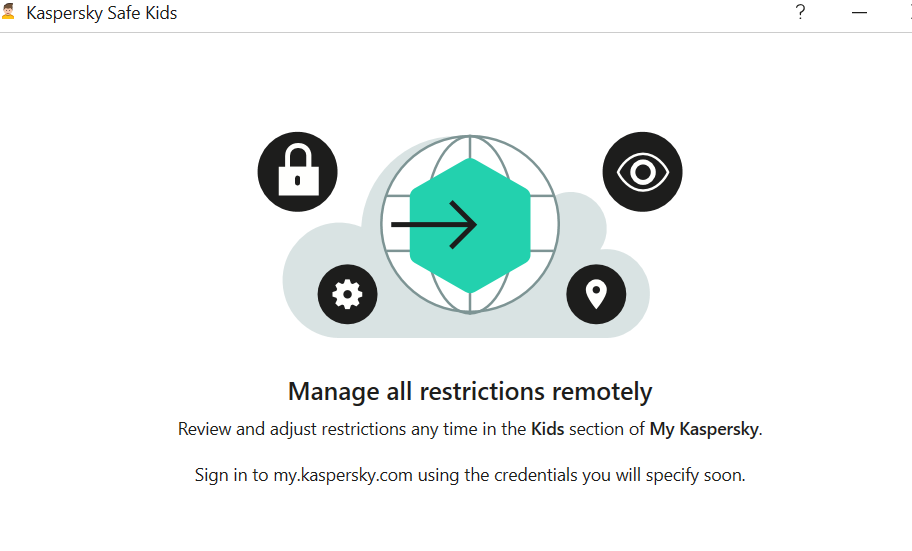
- Third-party apps: Consider security tools like McAfee, Kaspersky, Bark, Qustodio, or Norton Family for advanced features.
Check out what some of the security software apps have on offer:


If you prefer Norton, here are the details:

McAfee Parental Controls suite offers the following features:

McAfee also outlines why Parental Controls matter:

Lastly, let us take a look at what Quick Heal has on offer:

STEP 2: Set up Admin Login
Needless to say, a parent should be the admin login, and it is a wise idea to set up a strong and unique password. You do not want your kids to outsmart you and change their accessibility settings, do you? Remember to create a password you will remember, for children are clever and will soon discover where you have jotted it down.
STEP 3: Create Individual accounts for all users of the device
Let us say two minor kids, a grandparent and you, will be using the device. You will have to create separate accounts for each user. You can allow the children to choose their own passwords, it will give them a sense of privacy. The children or you may (or may not) need to help any Seniors set up their accounts.
Done? Good. Now let us proceed to the next step.
STEP 4: Set up access permissions by age
Let us first get grandparents and other seniors out of the way by giving them full access. when you enter their ages; your device will identify them as adults and guide you accordingly.
Now for each child, follow the instructions to set up filters and blocks. This will again vary with age – more filters for the younger ones, while you can remove controls gradually as they grow older, and hence more mature and responsible. Set up screen Time (daily and weekends), game filtering and playtime, content filtering and blocking by words (e.g. block websites that contain violence/sex/abuse). Ask for activity reports on your device so that you can monitor them remotely This will help you to receive alerts if children connect with strangers or get involved in abusive actions.
Save the data and it has done! Simple, wasn’t it?
Additional Security
For further security, you may want to set up parental controls on the Home Wi-Fi Router, Gaming devices, and online streaming services you subscribe to.
Follow the same steps. Select settings, Admin sign-in, and find out what controls or screen time protection they offer. Choose the ones you wish to activate, especially for the time when adults are not at home.
Conclusion
Congratulations. You have successfully secured your child’s digital space and sanitized it. Discuss unsafe practices as a family, and make any digital rule breaches and irresponsible actions, or concerns, learning points for them. Let their takeaway be that parents will monitor and mentor them, but they too have to take ownership of their actions.
Related Blogs

Introduction
In today’s digital world, data has emerged as the new currency that influences global politics, markets, and societies. Companies, governments, and tech behemoths aim to control data because it accords them influence and power. However, a fundamental challenge brought about by this increased reliance on data is how to strike a balance between privacy protection and innovation and utility.
In recognition of these dangers, more than 200 Nobel laureates, scientists, and world leaders have recently signed the Global Call for AI Red Lines. Governments are urged by this initiative to create legally binding international regulations on artificial intelligence by 2026. Its goal is to stop AI from going beyond moral and security bounds, particularly in areas like political manipulation, mass surveillance, cyberattacks, and dangers to democratic institutions.
One way to address the threat to privacy is through pseudonymization, which makes it possible to use data valuable for research and innovation by substituting personal identifiers for artificial ones. Pseudonymization thus directly advances the AI Red Lines initiative's mission of facilitating technological advancement while lowering the risks of data misuse and privacy violations.
The Red Lines of AI: Why do they matter?
The Global Call for AI Red Lines initiative represents a collective attempt to impose precaution before catastrophe, which was done with the objective of recognising the Red Lines in the use of AI tools. Thus, anything that unites the risks of using AI is due to the absence of global safeguards. Some of these Red Lines can be understood as;
- Cybersecurity breaches in the form of exposure of financial and personal data due to AI-driven hacking and surveillance.
- Occurrence of privacy invasions due to endless tracking.
- Generative AI can also help to create realistic fake content, undermining the trust of public discourses, leading to misinformation.
- Algorithmic amplification of polarising content can also threaten civic stability, leading to a demographic disruption.
Legal Frameworks and Regulatory Landscape
The regulations of Artificial Intelligence stand fragmented across jurisdictions, leaving significant loopholes aside. Some of the frameworks already provide partial guidance. The European Union’s Artificial Intelligence Act 2024 bans “unacceptable” AI practices, whereas the US-China Agreement also ensures that nuclear weapons remain under human, not machine-controlled. The UN General Assembly has adopted resolutions urging safe and ethical AI usage, with a binding and elusive global treaty.
On the front of data protection, the General Data Protection Regulations (GDPR) of EU offers a clear definition of Pseudonymisation under Article 4(5). It also describes a process where personal data is altered in a way that it cannot be attributed to an individual without additional information, which must be stored securely and separately. Importantly, pseudonymised data still qualifies as “personal data” under GDPR. However, India’s Digital Personal Data Protection Act (DPDP) 2023 adopts a similar stance. It does not explicitly define pseudonymisation in broad terms, such as “personal data” by including potentially reversible identifiers. According to Section 8(4) of the Act, companies are meant to adopt appropriate technical or organisational measures. International bodies and conventions like the OECD Principles on AI or the Council of Europe Convention 108+ emphasize accountability, transparency, and data minimisation. Collectively, these instruments point towards pseudonymization as a best practice, though interpretations of its scope differ.
Strategies for Corporate Implementation
For a company, pseudonymisation is not just about compliance, it is also a practical solution that offers measurable benefits. By pseudonymising data, businesses can get benefits, such as;
- Enhancing Privacy protection by masking identifiers like names or IDs by reducing the impact of data breaches.
- Preserving Data Utility, unlike having a full anonymisation, pseudonymisation also retains patterns that are essential for analytical innovation.
- Facilitating data sharing can allow organizations to collaborate with their partners and researchers while maintaining proper trust.
According to these benefits, competitive advantages get translated to clauses where customers find it more likely to trust organizations that prioritise data protection, while pseudonymisation further enables the firms to engage in cross-border collaboration without violating local data laws.
Balancing Privacy Rights and Data Utility
Balancing is a central dilemma; on one side lies the case of necessity over data utility, where companies, researchers and governments rely on large datasets to enhance the scale of AI innovation. On the other hand lies the question of the right to privacy, which is a non-negotiable principle protected under the international human rights law.
Pseudonymisation offers a practical compromise by enabling the use of sensitive data while reducing the privacy risks. Taking examples of different domains, such as healthcare, it allows the researchers to work with patient information without exposing identities, whereas in finance, it supports fraud detection without revealing the customer details.
Conclusion
The rapid rise of artificial intelligence has led to the outpacing of regulations, raising urgent questions related to safety, fairness and accountability. The global call for recognising the AI red lines is a bold step that looks in the direction of setting universal boundaries. Yet, alongside the remaining global treaties, practical safeguards are also needed. Pseudonymisation exemplifies such a safeguard, which is legally recognised under the GDPR and increasingly relevant in India’s DPDP Act. It balances the twin imperatives of privacy, protection, and data utility. For organizations, adopting pseudonymisation is not only about ensuring regulatory compliance, rather, it is also about building trust, ensuring resilience, and aligning with the broader ethical responsibilities in this digital age. As the future of AI is debatable, the guiding principles also need to be clear. By embedding techniques for preserving privacy, like pseudonymisation, into AI systems, we can take a significant step towards developing a sustainable, ethical and innovation-driven digital ecosystem.
References
https://www.techaheadcorp.com/blog/shadow-ai-the-risks-of-unregulated-ai-usage-in-enterprises/
https://planetmainframe.com/2024/11/the-risks-of-unregulated-ai-what-to-know/
https://cepr.org/voxeu/columns/dangers-unregulated-artificial-intelligence
https://www.forbes.com/sites/bernardmarr/2023/06/02/the-15-biggest-risks-of-artificial-intelligence/

Technology has revolutionized our lives, offering countless benefits and conveniences that make our daily lives more accessible and connected. However, with these benefits come potential challenges and risks that can impact our digital experiences. In this article, we have gathered expert advice on the impact of technology use in our daily lives, including the importance of warranties and tech protection in safeguarding our technology investments. Our experts offer invaluable insights and guidance on using technology safely and effectively while protecting us from unexpected costs or problems. Whether you’re a casual user or a technology enthusiast, our experts’ insights will help you navigate the world of technology with confidence and peace of mind.
How to protect kids from online abuse in the modern era of technology?
“As parents, it’s important to acknowledge that online child abuse is a widespread problem that we need to address. But does this mean we should ban technology from our children’s lives? Absolutely not! Technology is an integral part of our children’s lives, providing numerous benefits. Instead, we should think of practical ways to minimize the risks of online abuse. Many parents today depend on parental control apps like Mobicip to safeguard their children’s online activities and build healthy digital habits. These apps allow parents to supervise their child’s online behavior, restrict screen time, prevent access to certain websites and applications, filter inappropriate content, and get instant notifications about dangerous interactions or inappropriate content. Parents feel reassured and free of worry, knowing that their children’s online surroundings are secure and protected. In addition to using a parental control app, we must also focus on building a strong connection with our kids. By initiating conversations about their digital lives, we can understand their digital world, educate them about the potential risks and dangers of the internet, and teach them how to stay safe. By being proactive and engaged in our children’s digital lives, we can protect them from online abuse while still allowing them to benefit from technology.”
How to increase engagement in online classes via technology?
“Online classes have gained immense popularity in recent years due to their many advantages. However, online educators face several challenges that can impede the effectiveness of their classes, one of which is the lack of engagement from students. To address this challenge, it is crucial to adopt certain strategies that can increase student engagement and create a more meaningful learning environment.
One effective strategy is to limit the number of chokepoints that students may face while enrolling in a class. This can be achieved by using booking and scheduling technology that provides students with a hassle-free experience. The system sends regular reminders and notifications to learners about upcoming classes and assignments, helping them stay organized and committed to their learning.
Technology plays a vital role in improving communication between students and teachers and in increasing student engagement and participation during a session. Utilizing technology such as polling, chat boxes, and breakout rooms enables learners to actively participate in the class and share their perspectives, leading to more effective learning.
Personalization is also essential in creating a meaningful learning environment. A scheduling system can help create customized learning paths for each student, where they can progress at their own pace and focus on topics that interest them. This ensures that each student receives individual attention and is able to learn in a way that suits their learning style.
Moreover, gamification techniques can be used to make the learning process more fun and engaging. This includes using badges, points, and leaderboards to motivate learners to achieve their goals while competing with each other.”
Dr. Sukanya Kakoty, Omnify
How to choose the best due diligence software for your business?
“With a variety of solutions on the market, finding the best due diligence software for your business can be a tedious task. In addition to the software’s capabilities meeting your needs, there are other factors to consider when picking the right solution for your business. As due diligence involves the sharing of sensitive information, security is a key factor to consider. When browsing solutions, it is important to consider if their security features are up to industry standards. User-friendliness is another factor to consider when adopting a new due diligence software. Introducing a new tool should increase team efficiency, not disrupt your existing workflow. When searching for the perfect due diligence solution, pick one that meets the above criteria and more. DealRoom is a lifecycle deal management solution, providing pipeline, diligence, integration, and document management all under one platform. DealRoom’s user-friendly and intuitive features allow for customizable workflows to fit the specific needs of each user. DealRoom also offers industry-leading security features, including data encryption, granular permissions, and detailed audit logs, guaranteeing that your information is always protected. When choosing the best due diligence software for your business, consider a user-friendly, flexible, and secure solution.”
Why are backups important, and what is the safest way of doing them?
“Backups are important for several reasons. They help to protect against data loss, which can be caused by a variety of reasons, such as hardware failure, software corruption, natural disasters, or cyber-attacks. Backups also help to ensure that important data is available when needed, such as in the case of an emergency or system failure. Additionally, backups provide a way to recover deleted or corrupted files. This is also important because the loss of data can result in consequences such as financial loss, damage to reputation, and even legal issues. If not these, then loss of data may also lead to emotional effects in certain cases. A backup, however, can restore data quickly and avoid any significant disruption, emotional or otherwise. The safest way of doing backups is by following the 3-2-1 backup rule. This rule states that you should have at least three copies of your data, stored on at least two different storage media, with one copy stored offsite. This provides redundancy in case of a failure of one storage medium or location.
There are several methods of backing up data, including:
- External hard drives or USB drives: These are inexpensive and portable, making them a popular choice for personal backups. However, they can be lost or damaged, so it is important to keep them in a safe location and make regular backups.
- Cloud backups: These store data on remote servers, which can be accessed from anywhere with an internet connection. This provides an offsite backup solution, but it is important to choose a reputable provider and to ensure that the data is encrypted and secure.
- Network-attached storage (NAS): These are devices that connect to a network and provide centralized storage for multiple devices. They can be configured to automatically back up data from multiple devices on the network.
- Tape backups: These are less common but are still used by some businesses for the long-term storage of large amounts of data.
Regardless of the backup method chosen, it is important to regularly test backups regularly to ensure that they can be successfully restored in case of an emergency.”
What are the best trending electric toys for kids in 2023?
“Augmented Reality (AR) Toys: These toys blend the physical and digital world, providing an immersive experience. Popular examples include AR-enabled building sets and interactive storybooks that come to life through an app.
Educational Robotics: Robotics toys like the LEGO Mindstorms Robot Inventor and Sphero’s programmable robots have gained popularity for teaching coding, engineering, and problem-solving skills through hands-on play.”
Aside from security, what are some of the features of a VPN?
“Accessing geo-restricted content: One of the main benefits of using a VPN is its ability to bypass geographical restrictions in the world of flight prices, content, gaming, and more. Many websites and online services are only available in certain countries or regions. With a VPN, you can change your virtual location and access content that is otherwise blocked or unavailable in your country. Imagine you’re playing a game with friends; by using a VPN, you can improve your gaming experience by connecting to a server closer to the game’s host location and bypassing regional restrictions to access features unavailable in your region.
Increased privacy and anonymity: While security and privacy go hand in hand, VPNs offer more than just encryption. They also provide a level of anonymity by masking your IP address and making it difficult for websites and online services to track your online activity. This can be particularly useful for users who are concerned about their online privacy or who want to avoid targeted ads.
Faster internet speeds: Believe it or not, using a VPN can actually improve your internet speed in certain situations. If your internet service provider (ISP) is throttling your internet speed, a VPN can help you bypass this by encrypting your traffic and hiding it from your ISP. Additionally, some VPN providers offer dedicated servers that are optimized for faster speeds, reducing buffering and improving download and upload speeds.”
How does creating a website can help a home business?
“As a digital marketing consultant, I once worked with a client who had a home-based bakery business. She struggled to reach new customers beyond her local community and wanted to expand her reach and grow her business. After assessing her needs, I recommended that she create a website for her business. With the website, she could showcase her unique baked goods, provide a platform for online ordering, and expand her reach to customers beyond her local community. The website was designed to be visually appealing and user-friendly while effectively showcasing the brand and products in an attractive way. Additionally, the website was optimized for search engines and integrated with social media platforms to increase visibility and drive traffic to the site. Within a few months of launching the website, she saw an increase in orders. Customers could easily place orders through the website and leave reviews, which provided social proof and helped build trust with potential customers. Also used data analytics to track customer behavior and make data-driven decisions to improve the website and marketing strategy. The website became a valuable asset for her business, helping her to expand her reach, increase sales, and gather valuable customer data. Overall, creating a website helped her home-based business to grow and thrive in a competitive marketplace.”
Lito James, MassivePeak.com
How can technology be utilized to enhance productivity for remote teams working from home?
“Our team facilitates strategic planning sessions and we’re frequently working with teams that are working remotely. Here are a few of our best tips for productivity:
- Clear strategy: As teams have fewer touch points, it’s critical they are aligned and bought into the direction of the organization.
- Clear big rocks for the week. Make sure you’re not just busy but doing things that will move the needle on your strategic goals
- Clear accountability: Basecamp or other project management tools to help make sure nothing falls through the cracks
- Clear communication: Schedule the right meetings, so you are connecting at the right times to deliver important work and align on important topics.
- Clear agendas: When you do meet, make sure you’re coming together, staying focused, and getting the most important information across
Creating the right strategy and the right structure to keep it moving forward will help your team drive your most important outcomes, regardless of if you’re working in an office or remotely.
Anthony Taylor, SME Strategy Consulting
How to monitor your kids’ activities online?
“As a father of two kids and the founder of TheSweetBits.com, a website dedicated to providing guides on software and apps, I have extensive experience in monitoring my children’s online activities. Over the years, I have tested and reviewed numerous parental control apps and software to ensure my children’s online safety. When it comes to monitoring your kids’ activity online, it’s crucial to find a balance between keeping them safe and respecting their privacy. One of the most effective ways to achieve this balance is by using parental control software that allows you to set limits on their device usage, restrict access to inappropriate content, and monitor their online activity. However, it’s important to note that parental control software is not a substitute for good communication with your kids. You should have regular conversations with them about online safety and the potential dangers of the internet. By establishing trust and open communication, you can work together to create a safe and responsible online environment for your family. As I always say, ‘Parental control software is just one tool in the toolbox of responsible parenting’.”
How to plan the best online date with the help of technology?
“To plan a date online with the help of technology, we recommend using a reservation app like OpenTable to make dinner reservations. Not only will this let her know you thought ahead with the smaller details, but it will also ensure a smooth date by eliminating a long waiting time for a table to open up.”
What are the benefits of teaching kids to code and how to make it fun?
“The ability to code has become increasingly important in the modern world due to the rapid advancement of technology and its integration into nearly every aspect of our lives. This is something that will only continue as our children grow up and enter the world at large as the demand for workers with coding skills continues to grow rapidly. Teaching kids to code offers numerous benefits beyond just developing technical skills and getting them future-ready. It promotes problem-solving abilities, critical thinking, and logical reasoning, all of which are essential in today’s digital age. Additionally, coding can increase creativity and encourage children to think outside the box. However, it’s important to make coding fun and engaging for kids rather than a dull and tedious task. One way to make it exciting is to introduce gamification elements, such as incorporating fun characters or adding game-like challenges, and there are loads of great apps to get them started with. We love CodeSpark Academy, Lego Boost, and Tynker. Another approach is to encourage group work or peer learning, where children can work together to solve problems and learn from each other. Ultimately, making coding fun and enjoyable can ignite children’s interest in technology and set them on a path to explore new and exciting opportunities in the future.”
Are dating apps useful in the modern dating era and how to find the correct one?
“Dating apps have become a popular tool for modern daters to find potential partners. However, they also come with their own set of problems. One of the biggest issues with current dating apps is that they focus too much on superficial factors such as sexual attraction, rather than deeper compatibility and true attraction. This can lead to frustration and disappointment for users who are seeking more meaningful connections. Fortunately, AI technology is starting to offer solutions to these problems. By using machine learning algorithms and data analysis, apps like Iris Dating are able to help users find potential matches based on more than just superficial qualities. Iris uses a process called “iris training” to learn each user’s unique preferences and suggest compatible matches accordingly. This approach allows users to connect with people to whom they are really attracted, leading to more meaningful and lasting relationships. When it comes to finding the right dating app, it’s important to do your research and choose one that aligns with your values and preferences. Look for apps that prioritize true attraction and use AI technology to help you find meaningful matches. Don’t be afraid to try out multiple apps until you find one that feels right for you. Overall, while dating apps have their flaws, AI-powered apps like Iris offer hope for a more personalized and meaningful dating experience. By leveraging the power of technology, we can make the search for love a little bit easier and a lot more enjoyable.”
What are some IT risk management tips for home businesses?
“As more and more people turn to home-based businesses, IT security for these operations is becoming an increasingly important concern. From data breaches to cyberattacks, the risks you face as a home business owner are the same as those faced by larger enterprises. So, what are some IT risk management tips for home businesses? First, consider using a virtual private network or VPN to enhance the security of your online communications. Additionally, enable two-factor authentication for all of your accounts, including any cloud services you use. Practice good password hygiene, regularly updating passwords and avoiding easily guessable or common passwords. Finally, consider investing in cybersecurity insurance to protect your business in the event of a cyberattack or data breach. By taking these steps to mitigate IT risks, you can help ensure your home business stays secure and successful. Below are some additional suggestions to help you stay vigilant and set up your home business for longevity.
-Keep Your Software Up to Date: One of the best ways to reduce your risk of being hacked is to keep your software up to date. This includes both your operating system and any applications you have installed.
-Use a Firewall: A firewall is a piece of software that helps to block incoming connections from untrusted sources. By blocking these connections, you can help to prevent hackers from gaining access to your system.
-Use Anti-Virus Software: In addition to using a firewall, you should also use anti-virus software. Anti-virus software helps to protect your system from viruses and other malware. These programs work by scanning your system for known threats and then quarantining or deleting any files that are found to be infected.
-Back Up Your Data Regularly: Finally, it is important to back up your data regularly. This way, if your system is ever compromised, you will not lose any important files or data.
-Encrypt Your Data: If you are storing sensitive data on your computer, it is important to encrypt it to protect it from being accessed by unauthorized individuals. Encryption is a process of transforming data into a format that cannot be read without a decryption key. There are many different encryption algorithms that you can use, so make sure to choose one that is appropriate for the type of data you are encrypting.”
What are the benefits of giving your child a smartphone?
“If you’re teetering back and forth on getting your child a smartphone, consider these benefits as you make your decision:
• Connection. Smartphones keep kids in contact with friends and family—for fun and function! From school to extracurricular activities, kids can easily let their parents and caregivers know about late pickups, ride requests, and other changes of plans.
• Safety. If your child or someone they’re with gets hurt, their smartphone could save a life! And with built-in GPS, their location is always accessible. Plus, parental controls and other smartphone safeguards offer even more protection.
• Convenience. Life is a little easier when your child has a smartphone, plain and simple! You can call each other, send texts, and always know where they are.
• Acceptance. These days, it’s uncommon for kids to not have smartphones. With a smartphone, your child feels belonging and inclusion among their peers.
• Development. Having something as valuable as a smartphone teaches children responsibility and accountability. And with a smartphone of their own, your child will learn how to use technology in an appropriate, safe, and disciplined way.
• Education. Smartphones are incredible teaching tools! Educational apps, videos, and games can keep kids sharp. Plus, smartphones can introduce them to new hobbies and interests!”
How is technology promoting health and wellness?
“Technology has revolutionized the healthcare industry and is playing an increasingly important role in promoting health and wellness. Here are some ways in which technology has helped:
Wearable technology: Wearable devices, such as fitness trackers and smartwatches, are becoming increasingly popular. These devices can track a person’s physical activity, sleep patterns, heart rate, and more. They provide valuable insights into a person’s health and wellness and can help motivate them to make positive lifestyle changes.
Telehealth: Telemedicine allows patients to receive medical care remotely through video conferencing, phone calls, or other digital means. It has also allowed fitness professionals to work with more people who aren’t in a local market via video conferencing, webinars, etc.
Mobile Apps: There are a plethora of mobile apps available that promote health and wellness. These apps can help users track their diet and exercise, manage chronic conditions, and access medical information.
Virtual Reality: Virtual reality (VR) is being used in healthcare to treat conditions such as anxiety, phobias, and PTSD. VR can also be used for physical therapy and rehabilitation.
Overall, technology is playing an increasingly important role in promoting health and wellness, and it is likely that we will see even more innovative uses of technology in the healthcare industry in the future.”

Introduction
The way we interact, go about our daily lives and manage our financial resources has completely changed in this digital age. Tasks that were earlier done manually (and were extremely time-consuming) now happen in just minutes and seconds. As this convenience expands, so do the risks that come with it. The proliferation of digital technology has opened up a wide arena where we, as users, are getting exposed to a complex environment of emerging cyber threats at every step. This has become especially true for our senior citizens, who face heightened vulnerabilities owing to their age and situational factors. Therefore, getting an understanding of these risks and knowing how to respond to them is no longer optional.
Cybercrime against senior citizens is rising every year. The elderly today are using and depending on smartphones, net banking, UPI (Unified Payments Interface) and social media more than ever. Scammers are preying on this circumstance and perpetrating well-planned cyber attacks on the senior population. A 2024 report from the United States Federal Trade Commission (FTC) that analysed cybercrime data for the year 2023 found that older adults lost more money per incident as opposed to the younger population.
This blog aims at providing practical and easy-to-follow cyber safety tips for senior citizens and a clear action plan on how to respond if they ever fall victim to a scam.
Safe and Smart Browsing for the Elderly: Essential Cybersecurity Tips
- Device safety: Cybersecurity can be ensured with one simple rule, which is securing your device first. This is the first line of defence against cybercrime and can go a long way in preventing online attacks and scams. This device security can be established by using screen locks such as setting up a PIN, lock patterns, fingerprints, or even applying the face lock feature on smartphones and tablets.
The next step is to install a reputable antivirus on your device (such as laptops and desktops) and keep updating it from time to time. Enabling additional security features in your devices, such as ‘automatic updates’, further ensures that the phone’s Operating System (OS) and the Applications (apps) remain up to date. This guarantees that the device’s OS and the apps are fully upgraded to catch and fix any new security threats. Users should also beware of any unauthorised software. Suspicious links or messages that offer free software or updates should be avoided at all costs.
The Government of India’s 2024 cyber safety booklet also stresses the importance of keeping devices and apps equipped with the latest security patches to prevent exploitation of any known vulnerabilities.
- Robust Passwords and 2FA: Weak passwords are one of the easiest entry points for cybercriminals. This is why it is crucial to have strong and robust passwords to keep accounts and devices absolutely secure. It is also important to make sure to avoid using very basic PINs, such as date of birth or predictable ascending digits such as ‘12345’. Also, similar passwords should not be used across various bank, email or social media accounts. While creating a strong password, ideally, one should use a combination of upper case and lower case letters along with mixed digits and special characters. If need be, one can jot down these complex passwords in a separate physical diary to keep a record and refer to it in case of forgetfulness.
Enabling two-factor authentication adds an extra layer of protection. Whenever and wherever possible, users should enable OTP (one-time password) based verification or app-based authentication codes. In case someone does end up stealing the user’s password, they would still need the second factor to log in.
The Government of India supported the Information Security Education and Awareness (ISEA) initiative, which also provides guidelines that recommend the use of passwords and secure authentication as key cyber safety practices for senior citizens.
- Handle messages with caution: Most cybercrime instances against senior citizens are initiated with a phone call, an SMS or a WhatsApp message. Personal details such as OTPs, CVV (3-digit number on the back of a debit/credit card), ATM or UPI PIN, full debit/credit card number, net banking ID and password, etc., should never be shared over a call or a chat. Also, people need to be aware of the fact that genuine officials will never make any demands for such details over calls or messages. ISEA has specifically warned about frauds like phishing, where fraudsters call or message their victims pretending to be from banks, courier companies, telecom operators or from the government to trick seniors into revealing their personal details.
A caller might say ‘Your KYC can get blocked, give OTP now’ or ‘Your card will get deactivated, click this link’. Hang up immediately! Do not click any links, do not share any number and do not install any app that they suggest (eg. remote access apps).
- Banking without worries: Online banking is truly a boon, especially for senior citizens. It eliminates the need to visit the bank in person for every small requirement. But this comfort and ease can serve us well only if we use it with a certain sense of vigilance and responsibility.
Users are advised to use only official banking apps that are downloaded from Google Play Store or the Apple App Store. It is also prudent to activate SMS or email alerts for all online transactions so that the user receives timely notifications of any withdrawal or transfer. Users should also avoid using public Wi-Fi connections for banking or UPI payments. It is better to use your own mobile data or a home Wi-Fi with a strong password. This safeguards your financial transactions. India has a system in place called the Citizen Financial Cyber Fraud Reporting and Management System (CFCFRMS) that quickly responds to online financial fraud, especially with regards to UPI and net banking frauds.
- Think before you share: Beyond online banking and other essential activities on the web, lies the world of social media which has seamlessly woven itself into our daily routines. Therefore, gaining awareness about the safe usage of social media is extremely important. For starters, users should keep the privacy settings of their social media accounts as ‘Private’. They should also be mindful of accepting friend requests from strangers or unknown profiles, even if they claim that they know the user. Users must also avoid ‘oversharing’ on public platforms and social media accounts. It is always best to refrain from posting about personal details on social media such as finances, travel schedules or addresses. If a user receives urgent messages from a close friend or a relative asking for money, then it is better to first call them up directly to verify that the request is genuine.
The older generation should also be wary of fraudsters who, under false identities, build emotional relationships online and then start demanding money, gifts or even private photos from their victims.
- Stay a step ahead: Lastly, senior users can stay a step ahead in this game by familiarising themselves with the typical scams that are targeted towards their age group. This know-how will prepare them to identify scam patterns and early warning signs. Discussing experiences or sharing knowledge with family members or peers can also help seniors bridge the gap between awareness and action.
Fallen for a scam? Don’t panic! Here’s what seniors should do next: An action plan for recovery and protection
We are all human at the end of the day. Anyone can fall for a scam, even the most careful people. The important thing is how to ‘respond’ after getting scammed. As per the 2023 Internet Crime Complaint Center (IC3) Elder Fraud Report, prompt reporting after a scam can improve the chances of either freezing or retrieving the stolen money. If you have fallen for a scam, here is what you should do:
- Keep calm and disconnect: Though it may feel challenging, but the first instinct that victims should display is to keep their calm and hang up the phone. The victim should then block the number and refrain from responding to any further emails or messages. Any remote access app, screen sharing app or a support tool that were installed at the request of the caller, should be instantly uninstalled.
- Alert your bank right away: Time is of the essence when it comes to online financial frauds. If a user has been scammed and he is aware of it, then he should immediately call the official customer care number of his bank. It is to be noted here that this number should be verified from the bank’s website or from the user’s credit/debit card. Once the user is connected to the bank’s support staff, he should inform them clearly that he has been a victim of an online fraud. The support staff may guide the user regarding the options that he can undertake. These can be: blocking the cards, freezing the account or an attempt from the bank’s interface to try and stop or recall the recent transaction.
The Reserve Bank of India (RBI) has laid down certain guidelines on unauthorised electronic banking transactions that encourage quick reporting and provide a steady framework for customer liability. Also, if in case a victim feels that the bank’s response has been unsatisfactory, the complaints can be further escalated to the RBI Ombudsman.
- Reset online credentials: Once the victim has spoken to the bank and taken all necessary steps in that regard, the next step is to reset the passwords. Passwords for netbanking, UPI apps, email accounts, social media, shopping platforms, etc., should all be changed. The victim can also turn on two factor authentication for all important accounts. Incase some critical information like PAN (Permanent Account Number) or Aadhar or SSN (Social Security Number ) has been shared, the victim should be on the lookout for any identity theft in the form of unknown loans, new cards or credit enquiries.
- Notify official cybercrime portals or authorities: The next step is to inform the relevant cybercrime authorities in your region. In India there is a government backed National Cyber Crime Helpline which is a part of the Financial Cyber Fraud Reporting and Management System. The aim of the helpline is to prevent further losses in digital payment frauds. Victims can also file a complaint on the National Cyber Crime Reporting portal. Other than these options, the victim can visit the nearest police station along with copies of their online complaint, bank statements, transaction receipts and ID proofs.
In the US, such complaints can be lodged with the IC3 which runs a specialised elder fraud program. The IC3 also publishes the annual Elder Fraud Report and lays down latest guidelines and trends regarding cybercrime.
- Preserve proofs of the scam: The IC3’s 2023 report notes that detailed and prompt reporting by the victim enables law enforcement and financial institutions to deploy ‘Financial Fraud Kill Chain’ procedures that help in tracing or freezing stolen funds. This is why it is very important to preserve the evidence of a cyber scam. Proper documentation can help banks and law enforcement agencies to properly investigate a case. If possible, the victim should save all messages, WhatsApp chats, emails, screenshots and voice recordings. Establishing a clear timeline of the events also helps. Minute details such as: when the first call was received, what was said and when the money exited the victim’s account, significantly help in piecing together the full picture. Victims should also keep a record of all bank statements and transaction alert messages related to the fraudulent activity.
- Helping seniors heal: Apart from monetary damage, the emotional impact of a scam should also be acknowledged. Getting scammed can be deeply humiliating for senior citizens, especially at their age where everyday life may already feel quite overwhelming. Also, when it comes to their lifelong savings, the ramifications of becoming a victim of an online financial scam can be quite distressing for seniors. The US Department of Justice’s elder fraud content emphasises on the fact that senior victims need ample emotional support and should not be blamed or shamed for their predicament.
Families and caregivers can guide the elderly victims step by step through the recovery process which includes taking the necessary technical steps, filling out forms and following up with banks or authorities. For large value frauds, repeated targeting or cases that involve identity theft, getting a legal consult for the victim is highly advisable. This kind of support and reassurance can help seniors reduce their anxiety and regain their inner strength.
Secure today, safe tomorrow
The rate of cybercrime against senior citizens isn’t showing any signs of slowing down. Scammers are refining their techniques every day. Therefore, the best long standing defence against cybercrime is to make cyber safety a regular habit. This can be achieved with the support of families, caregivers and communities. Beyond the practical steps, spreading awareness and maintaining an open dialogue is equally important. Senior citizens should feel comfortable asking questions, sharing concerns and continue learning from experiences, be it theirs or of others. Reinforcement of safe online practices should become ingrained at the core of every society. When cybersecurity practices merge with everyday life, seniors gain both protection and confidence. Simple and steady digital safety practices that come with guidance and reassurance empower the seniors to enjoy the benefits of technology without fear.
Simply put, the habits that are adopted today will lay the foundation for a secure and safer digital tomorrow.
References
- https://bankingjournal.aba.com/2024/11/ftc-older-adults-lost-up-to-61-5b-to-fraud-in-2023/
- https://www.cert-in.org.in/PDF/CSH_Booklet.pdf
- https://infosecawareness.in/concept/cyber-security-tips-for-senior-citizens
- https://cybercrime.gov.in/UploadMedia/instructions_citizenreportingcyberfrauds.pdf
- https://www.ic3.gov/annualreport/reports/2023_ic3elderfraudreport.pdf
- https://www.arklegal.in/post/how-to-report-cyber-crime-in-india
- https://www.pib.gov.in/Pressreleaseshare.aspx?PRID=1814120
- https://cybercrime.gov.in/Webform/crmcondi.aspx
- https://www.justice.gov/archives/stopfraud-archive/elder-fraud-and-financial-exploitation
- https://www.ftc.gov/system/files/ftc_gov/pdf/federal-trade-commission-protecting-older-adults-report_102024.pdf
- https://www.unionbankofindia.bank.in/pdf/cyber-security-customer-awareness-guide-vol-v.pdf
- https://cdnbbsr.s3waas.gov.in/s371e09b16e21f7b6919bbfc43f6a5b2f0/uploads/2024/11/20241111752149945.pdf
- https://www.dsci.in/files/content/documents/2024/CSAM24-Infographic_Cyber-Safety-Essentials-for-Senior-Citizens-v1.pdf