
#FactCheck: A viral claim suggests that by turning on Advance Chat Privacy, Meta AI can avoid reading Whatsapp chats.
Executive Summary:
A viral social media video falsely claims that Meta AI reads all WhatsApp group and individual chats by default, and that enabling “Advanced Chat Privacy” can stop this. On performing reverse image search we found a blog post of WhatsApp which was posted in the month of April 2025 which claims that all personal and group chats remain protected with end to end (E2E) encryption, accessible only to the sender and recipient. Meta AI can interact only with messages explicitly sent to it or tagged with @MetaAI. The “Advanced Chat Privacy” feature is designed to prevent external sharing of chats, not to restrict Meta AI access. Therefore, the viral claim is misleading and factually incorrect, aimed at creating unnecessary fear among users.
Claim:
A viral social media video [archived link] alleges that Meta AI is actively accessing private conversations on WhatsApp, including both group and individual chats, due to the current default settings. The video further claims that users can safeguard their privacy by enabling the “Advanced Chat Privacy” feature, which purportedly prevents such access.

Fact Check:
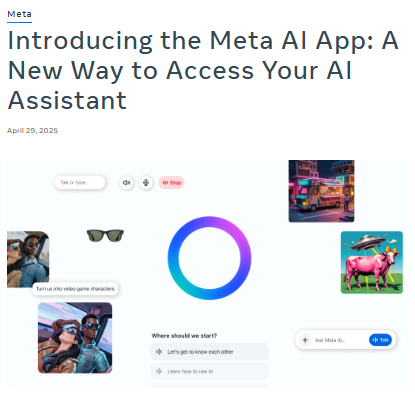
Upon doing reverse image search from the keyframe of the viral video, we found a WhatsApp blog post from April 2025 that explains new privacy features to help users control their chats and data. It states that Meta AI can only see messages directly sent to it or tagged with @Meta AI. All personal and group chats are secured with end-to-end encryption, so only the sender and receiver can read them. The "Advanced Chat Privacy" setting helps stop chats from being shared outside WhatsApp, like blocking exports or auto-downloads, but it doesn’t affect Meta AI since it’s already blocked from reading chats. This shows the viral claim is false and meant to confuse people.

Conclusion:
The claim that Meta AI is reading WhatsApp Group Chats and that enabling the "Advance Chat Privacy" setting can prevent this is false and misleading. WhatsApp has officially confirmed that Meta AI only accesses messages explicitly shared with it, and all chats remain protected by end-to-end encryption, ensuring privacy. The "Advanced Chat Privacy" setting does not relate to Meta AI access, as it is already restricted by default.
- Claim: Viral social media video claims that WhatsApp Group Chats are being read by Meta AI due to current settings, and enabling the "Advance Chat Privacy" setting can prevent this.
- Claimed On: Social Media
- Fact Check: False and Misleading

Related Blogs
Introduction
We live in a time where technological change is no longer slow or subtle. Robotics, automation, artificial intelligence, and digital systems are transforming the way we work, think, and even imagine the future. This is often celebrated as great progress. But a deeper question quietly waits behind the noise. Is every advancement truly an uplift when seen through the lens of scriptures, culture, and Indian philosophical thought? Are we creating for the good of humanity, or are we only chasing convenience and speed? And what kind of future are we actually preparing, not just for ourselves, but for those who will be born into this world shaped by these tools from the very beginning?
India has long been seen as a land that values balance, purity, and harmony with nature. Its rivers, mountains, forests, and traditions are not just geography or history, they are part of a civilizational way of thinking that connects life, duty, and responsibility. In this context, it becomes important to ask what the long-term cost of our technological appetite might be. Every invention has a footprint. Industries change landscapes. Energy demands reshape ecosystems. Convenience today often hides consequences that only appear years later. Progress, when measured only in speed and output, forgets to ask what it takes away in silence.
There is also a quieter change happening inside the human mind. As tools become smarter, humans begin to feel more powerful. The thought slowly shifts from “I can use this” to “I control this.” With artificial intelligence, the language becomes even bolder. We start hearing phrases like “we can create worlds, faces, voices, even minds.” But history have always warned us about ‘overreach’. Not because power is evil, but because pride blinds judgment. When ability grows faster than wisdom, imbalance follows. We can already see early signs of this in concerns about shrinking attention spans, weakening cognitive habits, and a growing dependence on systems that think for us before we learn to think for ourselves deeply.
None of this is an argument to reject innovation. The idea is not to blacklist technology or romanticise the past. The real question is about direction and responsibility. Advancements are not only for the comfort of the present generation. They shape the mental, moral, and emotional world of future generations who will grow up surrounded by these systems as something normal and unavoidable. What values will guide that world? What habits will it encourage? What will it quietly take away?
This is where the richness of Indian thought becomes relevant, not as nostalgia, but as guidance. Ideas of dharma, restraint, balance, and ethical action were never anti-progress. They were reminders that power without responsibility becomes dangerous, and that ability without humility leads to decline. In modern terms, we talk about safety by design, ethical innovation, and human-centred technology. In older language, we talked about duty, limits, and the consequences of unchecked desire. The words have changed, but the concern is the same.
Perhaps the real question is not whether we are becoming creators, but whether we remember that we are also caretakers. We do not bring existence out of nothing. We reshape what already exists. And in that reshaping, the line between wisdom and arrogance, between progress and pride, becomes the most important line of all.
The futuristic impact of AI, robotics, and technologies
In every yuga, humans have extended the limits of what they can do. What changes is not the desire, but the form it takes. Our ancient history speak of extraordinary abilities, not as fantasies, but as reminders of how power tests character. Figures like Naradmuni (a prominent divine sage (Rishiraja) in Hinduism) are described as moving from one place to another in moments. Others gained immense strength, knowledge, or influence through years of discipline and tapasya. Ravana (Figure from Ramayana) himself was learned and powerful, far beyond ordinary human measure. Sanjaya (the charioteer and advisor of King Dhritarashtra in the Mahabharata) receives the gift of divya drishti and narrates the events of the battlefield without being physically present there, seeing and speaking across distance in a way that still feels remarkable even today.
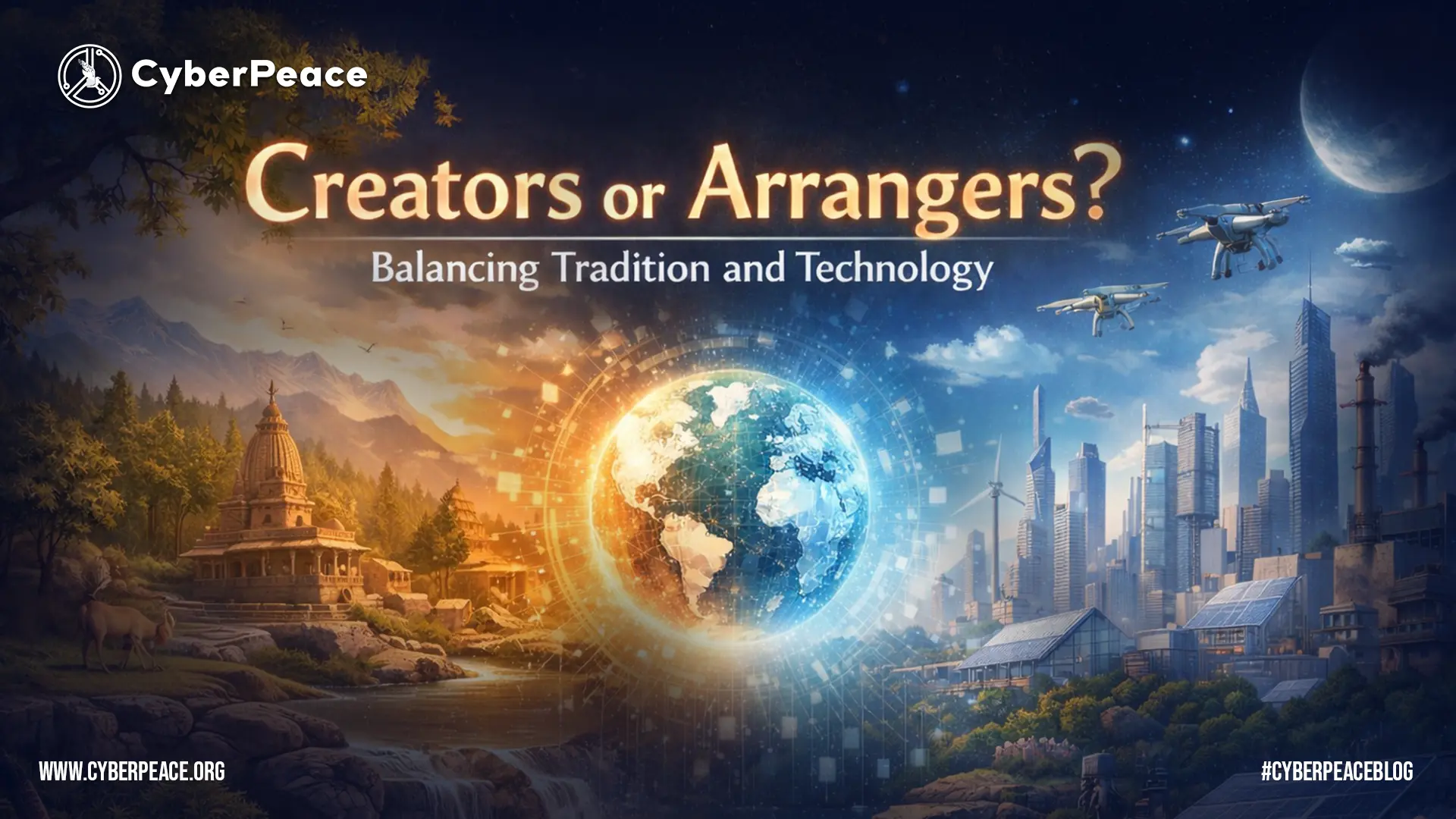
In this yuga, that ancient search for power and reach has not disappeared, it has only changed its language, and today it speaks through robotics, artificial intelligence, and advanced technologies, making us ask whether we are truly creators or only very advanced arrangers of what already exists.
In this age, science and technology are attempting something similar in a different language. We may not travel like Naradmuni, but we send our voices, images, and thoughts across the world in seconds. We build machines that can see, listen, respond, and even imitate human thinking. Artificial intelligence and robotics promise comfort, speed, and efficiency, and in many ways, they truly improve human life. Yet the old question remains. Not just what can we do, but how far should we go, and at what cost.
When we primarily build for human convenience, we often fail to thoroughly examine the long-term consequences. The environmental impact of large-scale technology is already visible in the pressure on resources, the growth of waste, and the slow damage to air, water, and soil. Nature does not recover at the pace of human ambition. What feels like small compromises today can become heavy burdens for tomorrow.
There is also the impact on the human mind. As systems become more capable, humans risk becoming more dependent. When answers arrive instantly, patience weakens. When machines start deciding for us, the habit of deep thinking slowly fades. Over time, this can affect attention, memory, and judgment. Knowledge becomes easier to reach, but wisdom becomes harder to build. Just as in old stories, the danger is not in having power, but in losing clarity while using it.
Future generations will not encounter these technologies as new inventions. They will be born into them. What we treat today as tools, they will experience as the normal environment of life. This makes responsibility unavoidable. The real question is not only whether these systems work, but what kind of humans they will shape.
The purpose of this reflection is not to reject progress. It is to ask for balance. Building for human comfort is important, but building without studying long-term impact is risky. If this age has the power to create intelligent systems, it must also have the wisdom to protect the environment, care for future generations, and preserve the depth of the human mind. Otherwise, advancement becomes speed without direction, and power without responsibility.
The Acceleration of the Technological Age
The current era has reached a state where technological progress now occurs through instantaneous changes which transform our methods of working and decision-making and future planning. People often view robotics and automation and artificial intelligence as signs of progress yet a less audible inquiry persists through time which asks whether every technological advancement enhances human existence or whether we merely pursue efficient and easy solutions without thinking about their implications. Indian philosophical thought offers a useful lens here, one that does not reject progress but asks whether it aligns with balance, responsibility, and long-term harmony. The definition of intelligence according to this perspective extends beyond computational skills and pattern imitation because it requires people to achieve awareness and intent and their complete understanding. Current machines possess the ability to mimic human reasoning and produce language while they can replicate decision-making processes, but they lack both consciousness and personal experience.
Power, Responsibility, and Ethical Imbalance
The development of new technological capabilities brings with it ethical responsibilities which every society must handle. Human beings must take on new ethical duties which match their increasing capabilities according to historical evidence. The current situation shows that people create new things at a speed which exceeds their ability to think about those innovations. Systems exist to enhance operational performance while they determine human actions and extend their power but they do not always evaluate their complete impact. Indian traditions emphasize dharma, the principle of balance and rightful action, which shows that power without ethical grounding creates destructive human force. The state of imbalance exists without showing its presence at all times. The process of imbalance development takes place through three channels: environmental degradation, social inequalities, and the gradual decline of human control.
The current society demonstrates this transformation through its existing results. The algorithms now determine our consumption choices and our methods of understanding everything around us. The system provides users with personalized comfort, but it also creates hidden patterns that determine their preferences. The process starts with decision assistance before it progresses to decision influence which eventually leads to decision conditioning. The concept of swatantrata as inner freedom becomes more complicated within such an environment. People stop making freedom choices when they find it easier to select between things that exist in their surroundings because they lose their ability to choose. People start to measure their work activities and personal identity through systems that use optimization techniques and digital validation systems, which leads to a decrease of space that exists for individuals to think and consider matters independently.
Technology, Ecology, and Civilizational Values
The environmental impact of technological demand exists together with social transformations. All systems need power while all infrastructure creates environmental effects and all products, we use contain unknown expenses which become apparent after many years. India's civilizational values maintain their dedication to nature because people see rivers and forests and ecosystems as essential parts of existence. Success in modern society measures output as the main achievement while actual value disappears through the evaluation process. The future requires us to create new things but we must also decide which things to keep intact.
The current situation requires progress to be defined differently because it needs to be measured through precise management instead of continuous rapid development. The question now extends beyond technological advancement to include the need for technologies to be operated through intelligent guidance. The increasing abilities of machines create a greater need for people to maintain their essential human characteristics. Human beings must actively maintain their capacity to make ethical decisions and understand their life's meaning and purpose. The future depends on two factors: the “innovations that will emerge and the values that will guide their development.”
Conclusion
It is high time we pause and honestly examine the path we are taking. The question is not whether technology should grow, but whether its overreach should be allowed to shape the future without restraint. We are building faster than ever, developing systems that touch every part of life. That makes it even more important to study their long-term impact, not only on markets or productivity, but on nature, on the human mind, and on the generations who will inherit this tech-driven world.
Progress should benefit those who come after us, not quietly weaken them. A future where people are born into pure convenience, surrounded by tools that think, decide, and act for them, may look comfortable, but comfort alone does not build strong, aware, or responsible human beings. Growth without effort and ease without discipline slowly takes away depth, resilience, and clarity. Technology should support human potential, not replace it.
This is why morality, ethics, and balance cannot be treated as optional ideas. They must guide innovation, not follow it. We do not need to overcreate. We need to create ‘wisely’. We need to build systems that remain under human control, not systems that slowly train humans to surrender their judgment, attention, and responsibility. Tools should remain tools. They should serve life, not define it.
Indian thought has always placed intention at the centre of action. Karma is not judged only by outcome, but by the spirit in which an act is performed. A tool in itself is neither pure nor impure. It becomes one or the other through the hand that uses it. This is a lens through which modern technology can also be examined. Artificial intelligence can help doctors read scans faster, help farmers predict weather patterns, and help students in remote areas access knowledge. At the same time, it can be used to watch, to sort, to exclude, and to reduce human beings to data points that fit neatly into a system. The difference lies not in the machine, but in the values of those who design and deploy it.
The purpose of this reflection is simple. We should build, but we should build with responsibility. We should innovate, but with awareness of consequences. True progress is not just about what is possible today. It is about what remains healthy, meaningful, and sustainable tomorrow. If this age can combine intelligence with humility, and power with restraint, then technology will not become a symbol of overreach. It will become a sign of maturity.

Introduction
Monopolies in any sector can have a great impact on economic efficiency and, by extension, on the market and the larger economy. Data monopolies hurt both small startups and large, established companies, and it is typically the biggest corporate players who have the biggest data advantage. Google has recently lost a major antitrust case filed by the U.S. Department of Justice, which focused on the company's search engine dominance and expensive partnerships to promote its products. The lawsuit accused Google of using its dominant position in the search engine market to maintain a monopoly. The case has had a significant impact on consumers and the tech industry as a whole. This dominance allowed Google to raise prices on advertisers without consequences, and delay innovations and privacy features that consumers want when they search online.
Antitrust Allegations Against Google in the US and EU
In the case filed by the US Department of Justice, US District Judge Amit Mehta ruled that Google was monopolistic. In the 10-week-long trial, Google lost the major antitrust lawsuit, and it was established that the tech giant had a monopoly in the web search and advertising sectors. The lawsuit accused Google of using its dominant position in the search engine market to elbow out rivals and maintain a monopoly. The tech giant’s exclusive deals with handset makers were brought before the court as evidence. Additionally, the European Commission has fined Google €1.49 billion for breaching EU antitrust rules in 2019.
The Impact of Big Tech Monopolies on the Digital Ecosystem and Beyond
- Big-tech companies collect vast amounts of personal data, raising concerns about how this data is used and protected. The concentration of data in the hands of a few companies can lead to privacy breaches and misuse of personal information.
- The dominance of a few tech giants in digital advertising markets can stifle competition, leading to higher prices for advertisers and fewer choices for consumers. This concentration also allows these companies to exert major control over what ads are shown and to whom.
- Big-tech platforms have substantial power over the dissemination of information. Their algorithms and policies on content moderation can influence public discourse and may spread misinformation. The lack of competition means fewer alternatives are accessible for users seeking different content moderation policies. In 2021 Google paid $26.3 billion to ensure its search engine is the default on smartphones and browsers and to keep control of its dominant market share.
Regulatory Mechanisms in the Indian Context
In India, antitrust issues are governed by the Competition Act of 2002 and the Competition Commission of India (CCI) checks monopolistic practices. In 2022, the CCI imposed a penalty of Rs 1,337.76 crore on Google for abusing its dominant position in multiple markets for 'anti-competitive practices' in the Android mobile device ecosystem. The Draft Digital Competition Bill, 2024, has been proposed as a legislative reform to regulate a wide range of digital services, including online search engines, social networking platforms, video-sharing sites, interpersonal communication services, operating systems, web browsers, cloud services, advertising services, and online intermediation services. The bill aims to promote competition and fairness in the digital market by addressing anti-competitive practices and dominant position abuses in the digital business space.
Conclusion
Big-tech companies are increasingly under scrutiny from regulators due to concerns over their monopolistic practices, data privacy issues, and the immense influence on markets and public discourse. The U.S. Department of Justice's victory against Google and the European Commission's hefty fines are indicators of a global paradigm shift towards more aggressive regulation to foster competition and protect consumer interests. The combined efforts of regulators across different jurisdictions underscore the recognition that monopolistic practices by such big tech giants can stifle innovation, harm consumers’ interests, and create barriers for new entrants, thus necessitating strong legal frameworks to ensure fair and contestable markets. Overall, the increasing regulatory pressure signifies a pivotal moment for big-tech companies, as they face the challenge of adapting to a more tightly controlled environment where their market dominance and business practices are under intense examination.
References
- https://www.livemint.com/technology/tech-news/googles-future-siege-u-s-court-explores-breaking-up-company-after-landmark-ruling-11723648047735.html
- https://www.thehindu.com/sci-tech/technology/what-is-the-google-monopoly-antitrust-case-and-how-does-it-affect-consumers/article68495551.ece
- https://indianexpress.com/article/business/google-has-an-illegal-monopoly-on-search-us-judge-finds-9497318/

Introduction
There is a rising desire for artificial intelligence (AI) laws that limit threats to public safety and protect human rights while allowing for a flexible and inventive setting. Most AI policies prioritize the use of AI for the public good. The most compelling reason for AI innovation as a valid goal of public policy is its promise to enhance people's lives by assisting in the resolution of some of the world's most difficult difficulties and inefficiencies and to emerge as a transformational technology, similar to mobile computing. This blog explores the complex interplay between AI and internet governance from an Indian standpoint, examining the challenges, opportunities, and the necessity for a well-balanced approach.
Understanding Internet Governance
Before delving into an examination of their connection, let's establish a comprehensive grasp of Internet Governance. This entails the regulations, guidelines, and criteria that influence the global operation and management of the Internet. With the internet being a shared resource, governance becomes crucial to ensure its accessibility, security, and equitable distribution of benefits.
The Indian Digital Revolution
India has witnessed an unprecedented digital revolution, with a massive surge in internet users and a burgeoning tech ecosystem. The government's Digital India initiative has played a crucial role in fostering a technology-driven environment, making technology accessible to even the remotest corners of the country. As AI applications become increasingly integrated into various sectors, the need for a comprehensive framework to govern these technologies becomes apparent.
AI and Internet Governance Nexus
The intersection of AI and Internet governance raises several critical questions. How should data, the lifeblood of AI, be governed? What role does privacy play in the era of AI-driven applications? How can India strike a balance between fostering innovation and safeguarding against potential risks associated with AI?
- AI's Role in Internet Governance:
Artificial Intelligence has emerged as a powerful force shaping the dynamics of the internet. From content moderation and cybersecurity to data analysis and personalized user experiences, AI plays a pivotal role in enhancing the efficiency and effectiveness of Internet governance mechanisms. Automated systems powered by AI algorithms are deployed to detect and respond to emerging threats, ensuring a safer online environment.
A comprehensive strategy for managing the interaction between AI and the internet is required to stimulate innovation while limiting hazards. Multistakeholder models including input from governments, industry, academia, and civil society are gaining appeal as viable tools for developing comprehensive and extensive governance frameworks.
The usefulness of multistakeholder governance stems from its adaptability and flexibility in requiring collaboration from players with a possible stake in an issue. Though flawed, this approach allows for flaws that may be remedied using knowledge-building pieces. As AI advances, this trait will become increasingly important in ensuring that all conceivable aspects are covered.
The Need for Adaptive Regulations
While AI's potential for good is essentially endless, so is its potential for damage - whether intentional or unintentional. The technology's highly disruptive nature needs a strong, human-led governance framework and rules that ensure it may be used in a positive and responsible manner. The fast emergence of GenAI, in particular, emphasizes the critical need for strong frameworks. Concerns about the usage of GenAI may enhance efforts to solve issues around digital governance and hasten the formation of risk management measures.
Several AI governance frameworks have been published throughout the world in recent years, with the goal of offering high-level guidelines for safe and trustworthy AI development. The OECD's "Principles on Artificial Intelligence" (OECD, 2019), the EU's "Ethics Guidelines for Trustworthy AI" (EU, 2019), and UNESCO's "Recommendations on the Ethics of Artificial Intelligence" (UNESCO, 2021) are among the multinational organizations that have released their own principles. However, the advancement of GenAI has resulted in additional recommendations, such as the OECD's newly released "G7 Hiroshima Process on Generative Artificial Intelligence" (OECD, 2023).
Several guidance documents and voluntary frameworks have emerged at the national level in recent years, including the "AI Risk Management Framework" from the United States National Institute of Standards and Technology (NIST), a voluntary guidance published in January 2023, and the White House's "Blueprint for an AI Bill of Rights," a set of high-level principles published in October 2022 (The White House, 2022). These voluntary policies and frameworks are frequently used as guidelines by regulators and policymakers all around the world. More than 60 nations in the Americas, Africa, Asia, and Europe had issued national AI strategies as of 2023 (Stanford University).
Conclusion
Monitoring AI will be one of the most daunting tasks confronting the international community in the next centuries. As vital as the need to govern AI is the need to regulate it appropriately. Current AI policy debates too often fall into a false dichotomy of progress versus doom (or geopolitical and economic benefits versus risk mitigation). Instead of thinking creatively, solutions all too often resemble paradigms for yesterday's problems. It is imperative that we foster a relationship that prioritizes innovation, ethical considerations, and inclusivity. Striking the right balance will empower us to harness the full potential of AI within the boundaries of responsible and transparent Internet Governance, ensuring a digital future that is secure, equitable, and beneficial for all.
References
- The Key Policy Frameworks Governing AI in India - Access Partnership
- AI in e-governance: A potential opportunity for India (indiaai.gov.in)
- India and the Artificial Intelligence Revolution - Carnegie India - Carnegie Endowment for International Peace
- Rise of AI in the Indian Economy (indiaai.gov.in)
- The OECD Artificial Intelligence Policy Observatory - OECD.AI
- Artificial Intelligence | UNESCO
- Artificial intelligence | NIST
