
#FactCheck-AI-Generated Viral Image of US President Joe Biden Wearing a Military Uniform
Executive Summary:
A circulating picture which is said to be of United States President Joe Biden wearing military uniform during a meeting with military officials has been found out to be AI-generated. This viral image however falsely claims to show President Biden authorizing US military action in the Middle East. The Cyberpeace Research Team has identified that the photo is generated by generative AI and not real. Multiple visual discrepancies in the picture mark it as a product of AI.
Claims:
A viral image claiming to be US President Joe Biden wearing a military outfit during a meeting with military officials has been created using artificial intelligence. This picture is being shared on social media with the false claim that it is of President Biden convening to authorize the use of the US military in the Middle East.

Similar Post:

Fact Check:
CyberPeace Research Team discovered that the photo of US President Joe Biden in a military uniform at a meeting with military officials was made using generative-AI and is not authentic. There are some obvious visual differences that plainly suggest this is an AI-generated shot.

Firstly, the eyes of US President Joe Biden are full black, secondly the military officials face is blended, thirdly the phone is standing without any support.
We then put the image in Image AI Detection tool

The tool predicted 4% human and 96% AI, Which tells that it’s a deep fake content.
Let’s do it with another tool named Hive Detector.

Hive Detector predicted to be as 100% AI Detected, Which likely to be a Deep Fake Content.
Conclusion:
Thus, the growth of AI-produced content is a challenge in determining fact from fiction, particularly in the sphere of social media. In the case of the fake photo supposedly showing President Joe Biden, the need for critical thinking and verification of information online is emphasized. With technology constantly evolving, it is of great importance that people be watchful and use verified sources to fight the spread of disinformation. Furthermore, initiatives to make people aware of the existence and impact of AI-produced content should be undertaken in order to promote a more aware and digitally literate society.
- Claim: A circulating picture which is said to be of United States President Joe Biden wearing military uniform during a meeting with military officials
- Claimed on: X
- Fact Check: Fake

Related Blogs

Executive Summary
Amid uncertainty over the future of the two-week ceasefire following 21 hours of inconclusive talks between the United States and Iran, two videos linked to Israel are going viral on social media.In one clip, a man speaking at a microphone is suddenly attacked by another person. Some users claim the video shows an incident inside Israel’s parliament, the Knesset.
In another video, a similar scene is being shared with the claim that a Member of Parliament assaulted Israeli Prime Minister Benjamin Netanyahu. However, a research by the CyberPeace found both claims to be false. The videos are old and unrelated to Israel.
Claim
An Instagram user shared one of the videos claiming it shows an attack inside the Israeli parliament.Another user shared a similar clip alleging that an MP assaulted Prime Minister Netanyahu.


Fact Check
First Video
We extracted keyframes from the first viral clip and conducted a reverse image search. The footage was found on the YouTube channel of AFP News Agency, uploaded on April 15, 2024. According to the report, the video shows a scuffle inside the parliament of Georgia. The clash broke out after the government reintroduced a controversial bill, during which an opposition leader punched a ruling party MP, triggering chaos in the chamber.
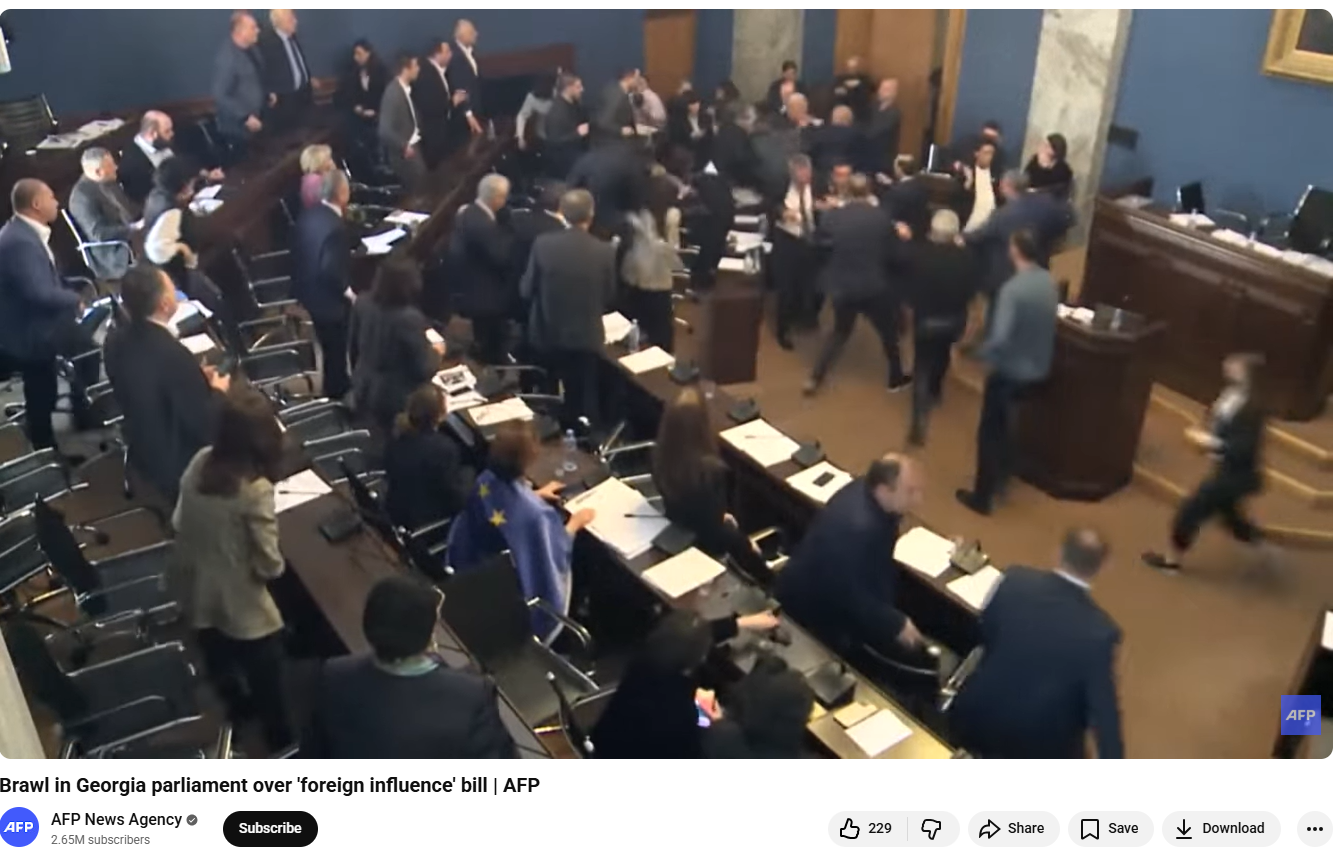
The same incident was also reported by BBC on April 16, 2024, confirming that the video is from Georgia and not Israel.

Second Video
The second video has also circulated earlier with similar claims. Verification shows that it dates back to January 2013 and is from Bulgaria. Footage uploaded by the YouTube channel “On Demand News” on January 19, 2013 shows an attack on Bulgarian political leader Ahmed Dogan, when a man pointed a gun at him before being overpowered by security personnel.

Conclusion
The viral claims are false and misleading. Neither of the videos is related to Israel. The first clip is from Georgia’s parliament in April 2024, while the second dates back to a 2013 incident in Bulgaria. Both videos have been taken out of context and falsely linked to Israel and Prime Minister Benjamin Netanyahu to mislead viewers.
There is no evidence of any such attack in Israel’s parliament or on its prime minister as claimed. Users are advised to verify information before sharing such content, especially during sensitive geopolitical situations.
Introduction
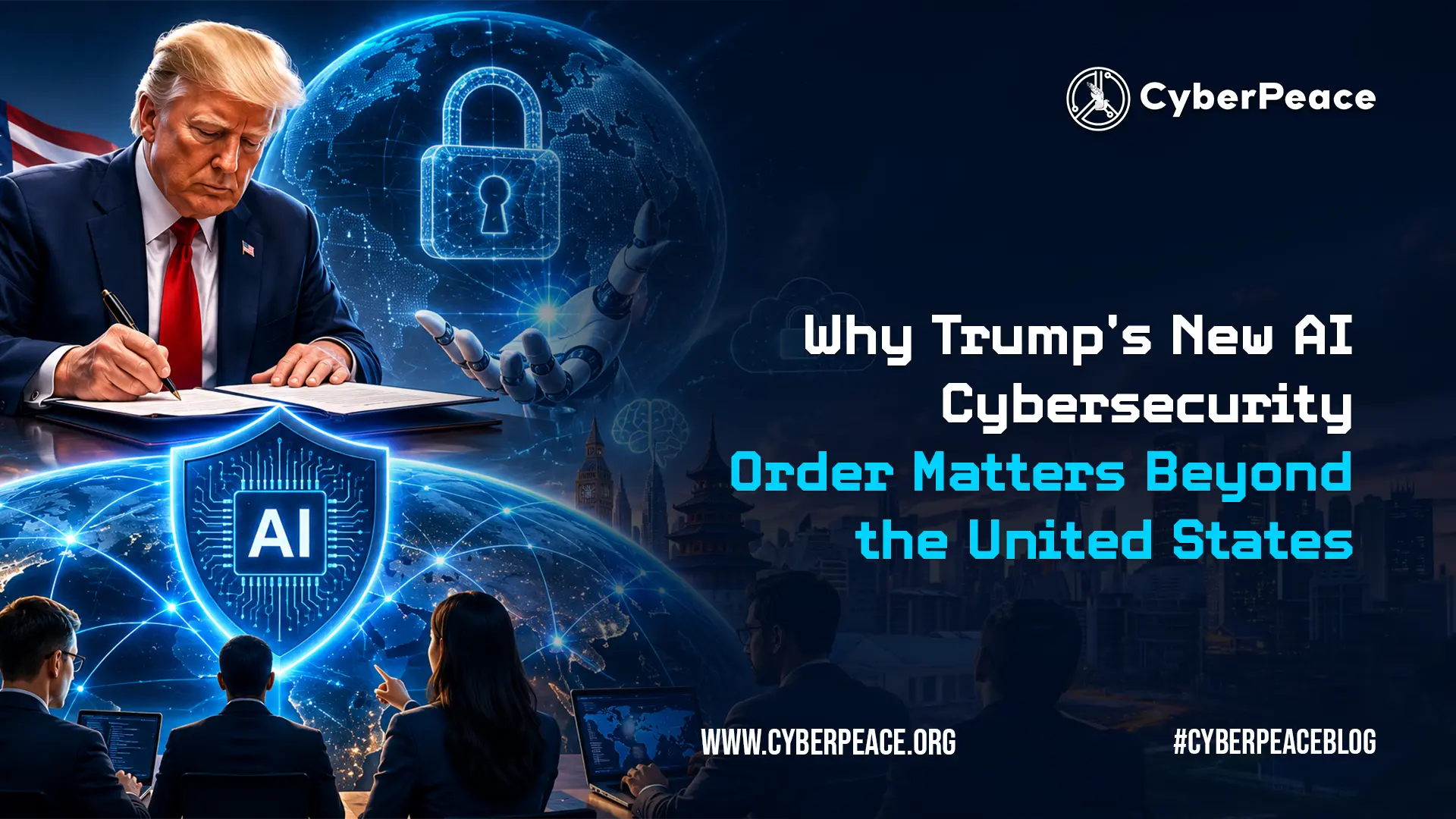
On June 2, 2026, U.S. President Donald Trump signed an executive order called "Promoting Artificial Intelligence Innovation and Security." The order tells federal agencies to improve cyber defences against AI-based threats and creates a system where AI companies can choose to let the government access powerful new models before they are released to the public. This happens as the U.S. and China are in a heated competition to lead the next generation of AI. While the order only affects the United States, its impact could reach the global AI industry, including India.
What Does the Executive Order Do?
The White House order focuses on three areas: First, it aims to upgrade government cyber security. Federal agencies must strengthen their information systems with AI-enabled defences within 30 days. Cyber Security and Infrastructure Agency (CISA) will issue new guidelines for civilian agencies, and an AI Cyber security Clearinghouse will be established for the government and private companies to share and resolve software vulnerabilities.
Second, the order introduces a voluntary pre-release review process for advanced AI models. Before a new model is publicly available, AI companies can give the government up to 30 days to evaluate it for cyber security risks. An earlier draft proposed a 90-day review period, but this was cut back due to feedback from the technology industry. The government will also create classified benchmarks to figure out which models qualify as a “covered frontier model” and are therefore subject to this review process.
Finally, the order emphasises criminal enforcement. It prioritises legal action against those who use AI tools to commit cybercrimes.
According to the White House, the aim is to promote AI innovation and security by collaborating with the private sector to modernise government and private information systems and protect them from external threats.
Why Does This Matter Globally?
- AI Is Now a National Security Issue Until recently, most governments viewed AI as an economic or scientific issue. This order officially changes that for the United States, placing advanced AI alongside other sensitive technologies that need government oversight before deployment. When the world's largest military makes this change, other governments pay attention. Countries allied with or partnering with the U.S. will likely revisit their own AI governance frameworks in the months ahead.
- Two Competing Models for the World The U.S. and EU represent two different approaches to AI governance. The EU AI Act lays down strict rules, is focused on ethics, and requires heavy compliance. The US approach is lighter on ethics, promoting voluntary cooperation, prioritising security, and encouraging innovation. Countries developing their own AI policies will either continue to align with one of these models or take ideas from both. The Atlantic Council has pointed out that if the U.S. model is successful, it could influence international security standards for AI development, even without formal global agreements.
- The China Factor Trump initially delayed signing the order, worried it would slow down American companies and give China an edge. The final version avoids mandatory licensing requirements but clearly indicates that the U.S. aims to lead, not only in building AI but also in securing it. China is likely to respond by speeding up its own evaluation systems, creating another global framework.
What Could This Mean for India?
India has taken a careful, non-mandatory approach to AI governance. MeitY's India AI Governance Guidelines, issued in November 2025, are based on principles and are not binding. India's AI Safety Institute has been announced but is not fully operational. Efforts to create binding regulation have been seen in actions like the Private Member's Bill, the AI Ethics and Accountability Bill, 2025, introduced in the Lok Sabha. This bill suggests mandatory reviews for high-risk AI systems but has not been passed yet. It's important to note that groups like the AI Governance Expert Group (AIGEG) and the Technology and Policy Expert Committee (TPEC) serve only in an advisory role; they do not have legislative power. As a result, nothing binding has been implemented so far. The Trump order puts additional pressure on India to pass measurable, binding AI-security-related measures. As AI use increases in banking, healthcare, telecommunications, and government services and frontier AI models continue to evolve without global oversight, stronger security evaluation methods are becoming necessary, especially in critical sectors.
Recent events prove this need. In June 2026, a Distributed Denial-of-Service (DDoS) attack hit the CBSE's On-Screen Marking portal. It saw 1.5 million requests in two minutes and over one lakh unauthorised file access attempts targeting a system used by millions of students. Similar attacks have impacted AIIMS Delhi and other public digital infrastructure. As AI tools make these attacks easier to carry out, security testing before deployment can no longer be seen as optional.
For Indian AI companies aiming at global markets, the U.S. framework is also important for business. Standards that are set voluntarily in Washington often become necessary for international partnerships and contracts.
Conclusion
Trump's AI cyber security order signals a shift. A government that resisted regulating AI has now recognised that powerful models need oversight before they reach the public. Its immediate impact affects U.S. agencies and developers. However, the broader message is that advanced AI is a national security concern. This will influence policy conversations around the world. For India, the priority is to develop its own security evaluation capacity now, rather than waiting to adopt frameworks created for other contexts.
References
- White House Executive Order, "Promoting Advanced Artificial Intelligence Innovation and Security," June 2, 2026
- Federal Register — Executive Order Publication, June 5, 2026
- Council on Foreign Relations — Assessing Trump's Executive Order on AI Oversight, June 4, 2026
- Atlantic Council — Reading Between the Lines of Trump's New Executive Order on AI, June 3, 2026
- Times of India — Donald Trump Passes AI Cyber security Order
- MeitY India AI Governance Guidelines, November 2025
- AI Ethics and Accountability Bill, 2025 — Explained
- NPR — Trump Signs EO Seeking Early Government Access to Powerful AI Models

Introduction
In the past few decades, technology has rapidly advanced, significantly impacting various aspects of life. Today, we live in a world shaped by technology, which continues to influence human progress and culture. While technology offers many benefits, it also presents certain challenges. It has increased dependence on machines, reduced physical activity, and encouraged more sedentary lifestyles. The excessive use of gadgets has contributed to social isolation. Different age groups experience the negative aspects of the digital world in distinct ways. For example, older adults often face difficulties with digital literacy and accessing information. This makes them more vulnerable to cyber fraud. A major concern is that many older individuals may not be familiar with identifying authentic versus fraudulent online transactions. The consequences of such cybercrimes go beyond financial loss. Victims may also experience emotional distress, reputational harm, and a loss of trust in digital platforms.
Why Senior Citizens Are A Vulnerable Target
Digital exploitation involves a variety of influencing tactics, such as coercion, undue influence, manipulation, and frequently some sort of deception, which makes senior citizens easy targets for scammers. Senior citizens have been largely neglected in research on this burgeoning type of digital crime. Many of our parents and grandparents grew up in an era when politeness and trust were very common, making it difficult for them to say “no” or recognise when someone was attempting to scam them. Seniors who struggle with financial stability may be more likely to fall for scams promising financial relief or security. They might encounter obstacles in learning to use new technologies, mainly due to unfamiliarity. It is important to note that these factors do not make seniors weak or incapable. Rather, it is the responsibility of the community to recognise and address the unique vulnerabilities of our senior population and work to prevent them from falling victim to scams.
Senior citizens are the most susceptible to social engineering attacks. Scammers may impersonate people, such as family members in distress, government officials, and deceive seniors into sending money or sharing personal information. Some of them are:
- The grandparent scam
- Tech support scam
- Government impersonation scams
- Romance scams
- Digital arrest
Protecting Senior Citizens from Digital Scams
As a society, we must focus on educating seniors about common cyber fraud techniques such as impersonation of family members or government officials, the use of fake emergencies, or offers that seem too good to be true. It is important to guide them on how to verify suspicious calls and emails, caution them against sharing personal information online, and use real-life examples to enhance their understanding.
Larger organisations and NGOs can play a key role in protecting senior citizens from digital scams by conducting fraud awareness training, engaging in one-on-one conversations, inviting seniors to share their experiences through podcasts, and organising seminars and workshops specifically for individuals aged 60 and above.
Safety Tips
In today's digital age, safeguarding oneself from cyber threats is crucial for people of all ages. Here are some essential steps everyone should take at a personal level to remain cyber secure:
- Ensuring that software and operating systems are regularly updated allows users to benefit from the latest security fixes, reducing their vulnerability to cyber threats.
- Avoiding the sharing of personal information online is also essential. Monitoring bank statements is equally important, as it helps in quickly identifying signs of potential cybercrime. Reviewing financial transactions and reporting any unusual activity to the bank can assist in detecting and preventing fraud.
- If suspicious activity is suspected, it is advisable to contact the company directly using a different phone line. This is because cybercriminals can sometimes keep the original line open, leading individuals to believe they are speaking with a legitimate representative. In such cases, attackers may impersonate trusted organisations to deceive users and gain sensitive information.
- If an individual becomes a victim of cybercrime, they should take immediate action to protect their personal information and seek professional guidance.
- Stay calm and respond swiftly and wisely. Begin by collecting and preserving all evidence—this includes screenshots, suspicious messages, emails, or any unusual activity. Report the incident immediately to the police or through an official platform like www.cybercrime.gov.in and the helpline number 1930.
- If financial information is compromised, the affected individual must alert their bank or financial institution without delay to secure their accounts. They should also update passwords and implement two-factor authentication as additional safeguards.
Conclusion: Collective Action for Cyber Dignity and Inclusion
Elder abuse in the digital age is an invisible crisis. It’s time we bring it into the spotlight and confront it with education, empathy, and collective action. Safeguarding senior citizens from cybercrime necessitates a comprehensive approach that combines education, vigilance, and technological safeguards. By fostering awareness and providing the necessary tools and support, we can empower senior citizens to navigate the digital world safely and confidently. Let us stand together to support these initiatives, to be the guardians our elders deserve, and to ensure that the digital world remains a place of opportunity, not exploitation.
REFERENCES -
- https://portal.ct.gov/ag/consumer-issues/hot-scams/the-grandparents-scam
- https://www.fbi.gov/how-we-can-help-you/scams-and-safety/common-frauds-and-scams/tech-support-scams
- https://consumer.ftc.gov/articles/how-avoid-government-impersonation-scam
- https://www.jpmorgan.com/insights/fraud/fraud-mitigation/helping-your-elderly-and-vulnerable-loved-ones-avoid-the-scammers
- https://www.fbi.gov/how-we-can-help-you/scams-and-safety/common-frauds-and-scams/romance-scams
- https://www.jpmorgan.com/insights/fraud/fraud-mitigation/helping-your-elderly-and-vulnerable-loved-ones-avoid-the-scammers
