
#FactCheck: Viral Video Showing Pakistan Shot Down Indian Air Force' MiG-29 Fighter Jet
Executive Summary
Recent claims circulating on social media allege that an Indian Air Force MiG-29 fighter jet was shot down by Pakistani forces during "Operation Sindoor." These reports suggest the incident involved a jet crash attributed to hostile action. However, these assertions have been officially refuted. No credible evidence supports the existence of such an operation or the downing of an Indian aircraft as described. The Indian Air Force has not confirmed any such event, and the claim appears to be misinformation.

Claim
A social media rumor has been circulating, suggesting that an Indian Air Force MiG-29 fighter jet was shot down by Pakistani Air forces during "Operation Sindoor." The claim is accompanied by images purported to show the wreckage of the aircraft.

Fact Check
The social media posts have falsely claimed that a Pakistani Air Force shot down an Indian Air Force MiG-29 during "Operation Sindoor." This claim has been confirmed to be untrue. The image being circulated is not related to any recent IAF operations and has been previously used in unrelated contexts. The content being shared is misleading and does not reflect any verified incident involving the Indian Air Force.

After conducting research by extracting key frames from the video and performing reverse image searches, we successfully traced the original post, which was first published in 2024, and can be seen in a news article from The Hindu and Times of India.
A MiG-29 fighter jet of the Indian Air Force (IAF), engaged in a routine training mission, crashed near Barmer, Rajasthan, on Monday evening (September 2, 2024). Fortunately, the pilot safely ejected and escaped unscathed, hence the claim is false and an act to spread misinformation.

Conclusion
The claims regarding the downing of an Indian Air Force MiG-29 during "Operation Sindoor" are unfounded and lack any credible verification. The image being circulated is outdated and unrelated to current IAF operations. There has been no official confirmation of such an incident, and the narrative appears to be misleading. Peoples are advised to rely on verified sources for accurate information regarding defence matters.
- Claim: Pakistan Shot down an Indian Fighter Jet, MIG-29
- Claimed On: Social Media
- Fact Check: False and Misleading

Related Blogs

Introduction
“GPS Spoofing” though formerly was confined to conflict zones as a consequence, has lately become a growing hazard for pilots and aircraft operators across the world, and several countries have been facing such issues. This definition stems from the US Radio Technical Commission for Aeronautics, which delivers specialized advice for government regulatory authorities. Global Positioning System (GPS) is considered an emergent part of aviation infrastructure as it supersedes traditional radio beams used to direct planes towards the landing. “GPS spoofing” occurs when a double-dealing radio signal overrides a legitimate GPS satellite alert where the receiver gets false location information. In the present times, this is the first time civilian passenger flights have faced such a significant danger, though GPS signal interference of this character has existed for over a decade. According to the Agency France-Presse (AFP), false GPS signals mislead onboard plane procedures and problematise the job of airline pilots that are surging around conflict areas. GPS spoofing may also be the outcome of military electronic warfare systems that have been deployed in zones combating regional tension. GPS spoofing can further lead to significant upheavals in commercial aviation, which include arrivals and departures of passengers apart from safety.
Spoofing might likewise involve one country’s military sending false GPS signals to an enemy plane or drone to impede its capability to operate, which has a collateral impact on airliners operating at a near distance. Collateral impairment in commercial aircraft can occur as confrontations escalate and militaries send faulty GPS signals to attempt to thwart drones and other aircraft. It could, therefore, lead to a global crisis, leading to the loss of civilian aircraft in an area already at a high-risk zone close to an operational battle area. Furthermore, GPS jamming is different from GPS Spoofing. While jamming is when the GPS signals are jammed or obstructed, spoofing is very distinct and way more threatening.
Global Reporting
An International Civil Aviation Organization (ICAO) assessment released in 2019 indicated that there were 65 spoofing incidents across the Middle East in the preceding two years, according to the C4ADS report. At the beginning of 2018, Euro control received more than 800 reports of Global Navigation Satellite System (GNSS) interference in Europe. Also, GPS spoofing in Eastern Europe and the Middle East has resulted in up to 80nm divergence from the flight route and aircraft impacted have had to depend on radar vectors from Air Traffic Control (ATC). According to Forbes, flight data intelligence website OPSGROUP, constituted of 8,000 members including pilots and controllers, has been reporting spoofing incidents since September 2023. Similarly, over 20 airlines and corporate jets flying over Iran diverted from their planned path after they were directed off the pathway by misleading GPS signals transmitted from the ground, subjugating the navigation systems of the aircraft.
In this context, vicious hackers, however at large, have lately realized how to override the critical Inertial Reference Systems (IRS) of an airplane, which is the essential element of technology and is known by the manufacturers as the “brains” of an aircraft. However, the current IRS is not prepared to counter this kind of attack. IRS uses accelerometers, gyroscopes and electronics to deliver accurate attitude, speed, and navigation data so that a plane can decide how it is moving through the airspace. GPS spoofing occurrences make the IRS ineffective, and in numerous cases, all navigation power is lost.
Red Flag from Agencies
The European Union Aviation Safety Agency (EASA) and the International Air Transport Association (IATA) correspondingly hosted a workshop on incidents where people have spoofed and obstructed satellite navigation systems and inferred that these direct a considerable challenge to security. IATA and EASA have further taken measures to communicate information about GPS tampering so that crew and pilots can make sure to determine when it is transpiring. The EASA had further pre-cautioned about an upsurge in reports of GPS spoofing and jamming happenings in the Baltic Sea area, around the Black Sea, and regions near Russia and Finland in 2022 and 2023. According to industry officials, empowering the latest technologies for civil aircraft can take several years, and while GPS spoofing incidents have been increasing, there is no time to dawdle. Experts have noted critical navigation failures on airplanes, as there have been several recent reports of alarming cyber attacks that have changed planes' in-flight GPS. As per experts, GPS spoofing could affect commercial airlines and cause further disarray. Due to this, there are possibilities that pilots can divert from the flight route, further flying into a no-fly zone or any unauthorized zone, putting them at risk.
According to OpsGroup, a global group of pilots and technicians first brought awareness and warning to the following issue when the Federal Aviation Administration (FAA) issued a forewarning on the security of flight risk to civil aviation operations over the spate of attacks. In addition, as per the civil aviation regulator Directorate General of Civil Aviation (DGCA), a forewarning circular on spoofing threats to planes' GPS signals when flying over parts of the Middle East was issued. DGCA advisory further notes the aviation industry is scuffling with uncertainties considering the contemporary dangers and information of GNSS jamming and spoofing.
Conclusion
As the aviation industry continues to grapple with GPS spoofing problems, it is entirely unprepared to combat this, although the industry should consider discovering attainable technologies to prevent them. As International conflicts become convoluted, technological solutions are unrestricted and can be pricey, intricate and not always efficacious depending on what sort of spoofing is used.
As GPS interference attacks become more complex, specialized resolutions should be invariably contemporized. Improving education and training (to increase awareness among pilots, air traffic controllers and other aviation experts), receiver technology (Creating and enforcing more state-of-the-art GPS receiver technology), ameliorating monitoring and reporting (Installing robust monitoring systems), cooperation (collaboration among stakeholders like government bodies, aviation organisations etc.), data/information sharing, regulatory measures (regulations and guidelines by regulatory and government bodies) can help in averting GPS spoofing.
References
- https://economictimes.indiatimes.com/industry/transportation/airlines-/-aviation/false-gps-signal-surge-makes-life-hard-for-pilots/articleshow/108363076.cms?from=mdr
- https://nypost.com/2023/11/20/lifestyle/hackers-are-taking-over-planes-gps-experts-are-lost-on-how-to-fix-it/
- https://www.timesnownews.com/india/planes-losing-gps-signal-over-middle-east-dgca-flags-spoofing-threat-article-105475388
- https://www.firstpost.com/world/gps-spoofing-deceptive-gps-lead-over-20-planes-astray-in-iran-13190902.html
- https://www.forbes.com/sites/erictegler/2024/01/31/gps-spoofing-is-now-affecting-airplanes-in-parts-of-europe/?sh=48fbe725c550
- https://www.insurancejournal.com/news/international/2024/01/30/758635.htm
- https://airwaysmag.com/gps-spoofing-commercial-aviation/
- https://www.wsj.com/articles/aviation-industry-to-tackle-gps-security-concerns-c11a917f
- https://www.deccanherald.com/world/explained-what-is-gps-spoofing-that-has-misguided-around-20-planes-near-iran-iraq-border-and-how-dangerous-is-this-2708342

A video of Bollywood actor Salman Khan is being widely circulated on social media, in which he can allegedly be heard saying that he will soon join Asaduddin Owaisi’s party, the All India Majlis-e-Ittehadul Muslimeen (AIMIM). Along with the video, a purported image of Salman Khan with Asaduddin Owaisi is also being shared. Social media users are claiming that Salman Khan is set to join the AIMIM party.
CyberPeace research found the viral claim to be false. Our research revealed that Salman Khan has not made any such statement, and that both the viral video and the accompanying image are AI-generated.
Claim
Social media users claim that Salman Khan has announced his decision to join AIMIM.On 19 January 2026, a Facebook user shared the viral video with the caption, “What did Salman say about Owaisi?” In the video, Salman Khan can allegedly be heard saying that he is going to join Owaisi’s party. (The link to the post, its archived version, and screenshots are available.)

Fact Check:
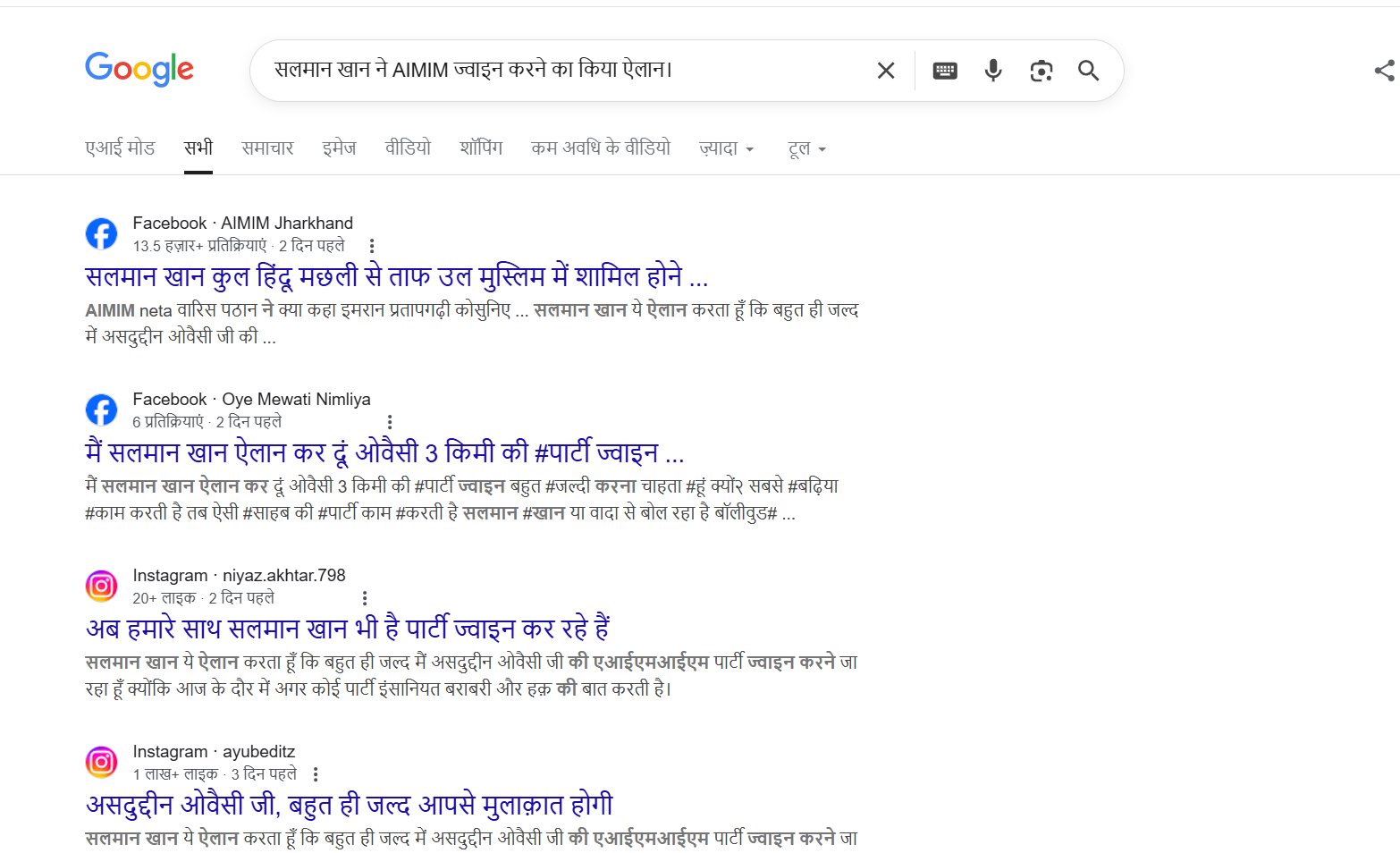
To verify the claim, we first searched Google using relevant keywords. However, no credible or reliable media reports were found supporting the claim that Salman Khan is joining AIMIM.
In the next step of verification, we extracted key frames from the viral video and conducted a reverse image search using Google Lens. This led us to a video posted on Salman Khan’s official Instagram account on 21 April 2023. In the original video, Salman Khan is seen talking about an event scheduled to take place in Dubai. A careful review of the full video confirmed that no statement related to AIMIM or Asaduddin Owaisi is made.

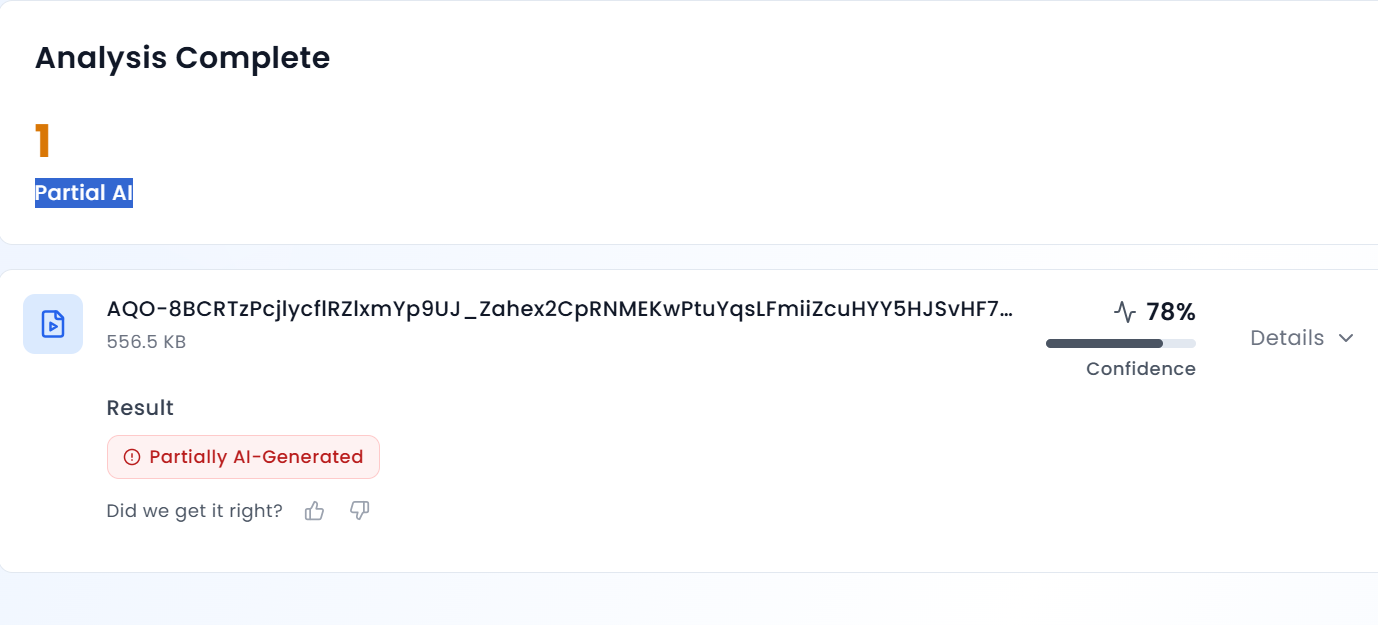
Further analysis of the viral clip revealed that Salman Khan’s voice sounds unnatural and robotic. To verify this, we scanned the video using AURGIN AI, an AI-generated content detection tool. According to the tool’s analysis, the viral video was generated using artificial intelligence.
Conclusion
Salman Khan has not announced that he is joining the AIMIM party. The viral video and the image circulating on social media are AI-generated and manipulated.

Executive Summary
A video circulating on social media claims that Jammu and Kashmir Deputy Chief Minister Surinder Choudhary described Prime Minister Narendra Modi as an agent of Pakistan’s Inter-Services Intelligence (ISI). In the viral clip, Choudhary is allegedly heard accusing the Prime Minister of pushing Kashmir towards Pakistan and claiming that even pro-India Kashmiris are disillusioned with Modi’s policies.
However, research by the CyberPeace research wing has found that the video is digitally manipulated. While the visuals are genuine and taken from a real media interaction, the audio has been fabricated and falsely overlaid to misattribute inflammatory remarks to the Deputy Chief Minister.
Claim
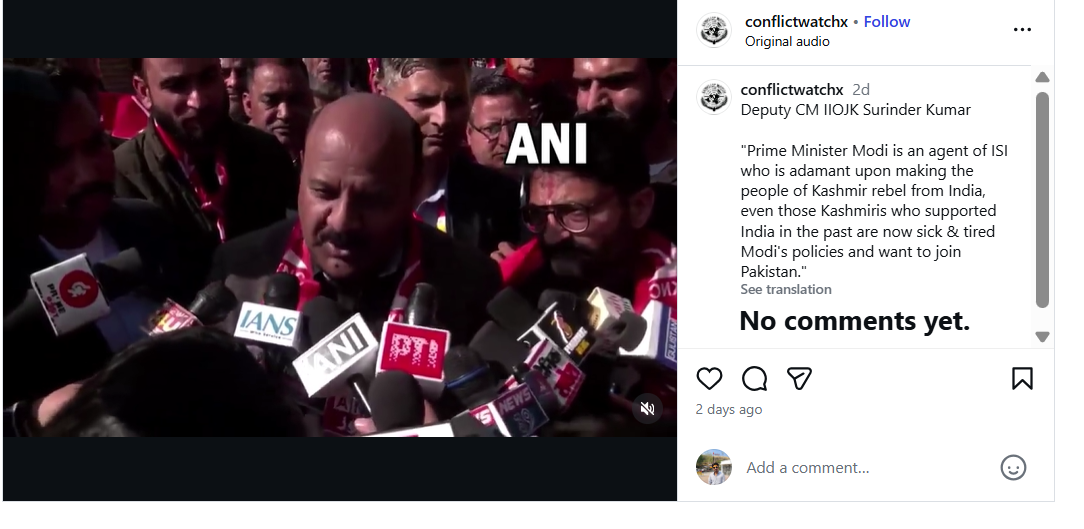
An Instagram account named Conflict Watch shared the video on January 20, claiming that J&K Deputy Chief Minister Surinder Choudhary had called Prime Minister Modi an ISI agent. The video purportedly quoted Choudhary as saying that Modi was elected with Pakistan’s support and that Kashmir would soon become part of Pakistan due to his policies.
Here is the link and archive link to the post, along with a screenshot.
Fact Check:
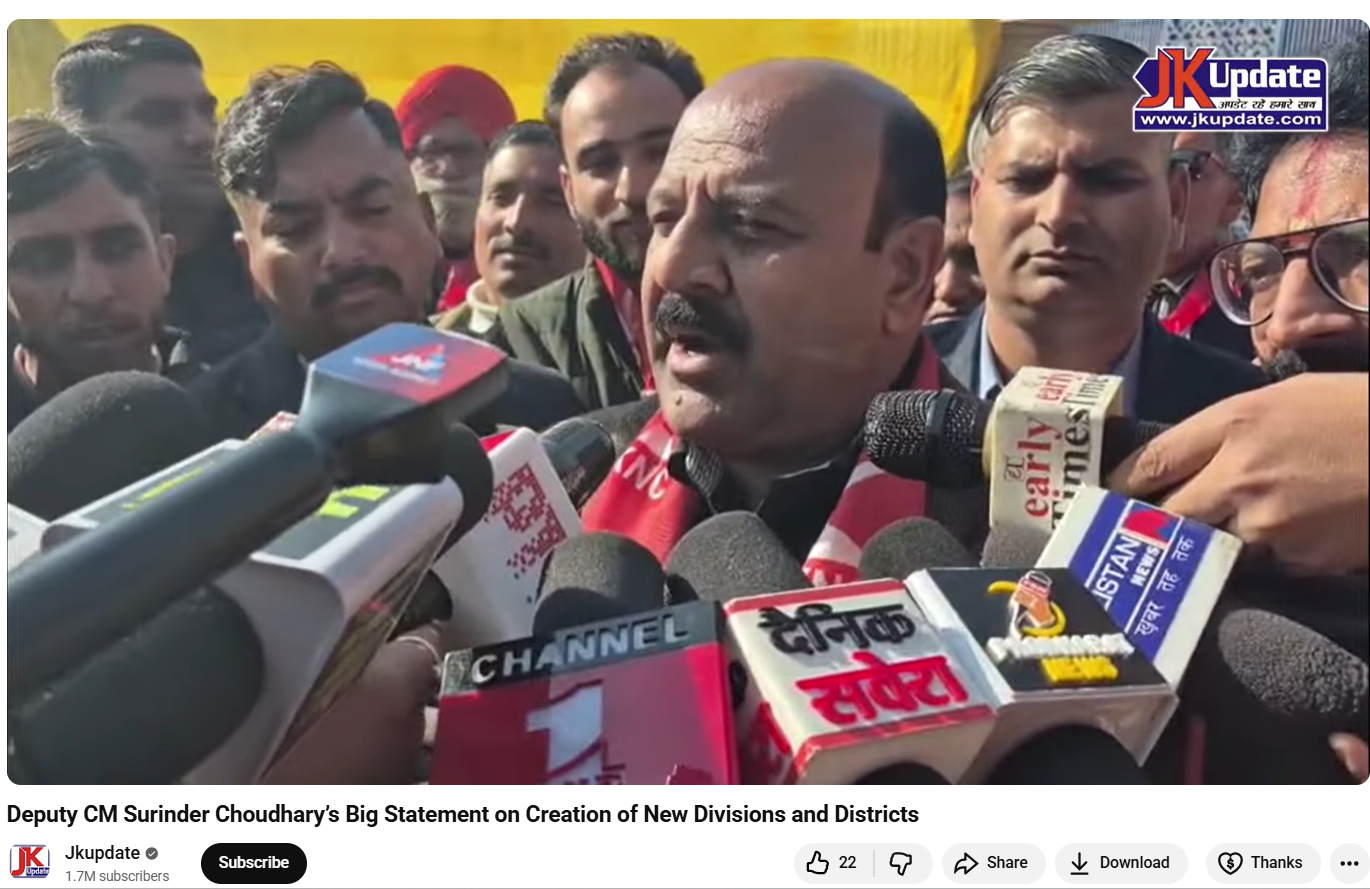
To verify the claim, the Desk conducted a Google Lens search, which led to a video uploaded on January 20, 2026, on the official YouTube channel of Jammu and Kashmir–based news outlet JKUpdate. The footage was an extended version of the viral clip and featured identical visuals. The original video showed Surinder Choudhary addressing the media on the sidelines of the inaugural two-day JKNC Convention of Block Presidents and Secretaries in the Jammu province. A review of the full media interaction revealed that Choudhary did not make any statements calling Prime Minister Modi an ISI agent or suggesting that Kashmir should join Pakistan.
Instead, in the original footage, Choudhary was seen criticising former Jammu and Kashmir Chief Minister and PDP leader Mehbooba Mufti for supporting the BJP during the bifurcation of Jammu and Kashmir and Ladakh into two Union Territories. He also spoke about the challenges faced by the region after the abrogation of Article 370 and demanded the restoration of full statehood for Jammu and Kashmir. During the interaction, Choudhary said that anyone attempting to divide Jammu and Kashmir at the state or regional level was effectively following Pakistan’s agenda and Jinnah’s two-nation theory. He added that such individuals could not be considered patriots.
Here is the link to the video, along with a screenshot.
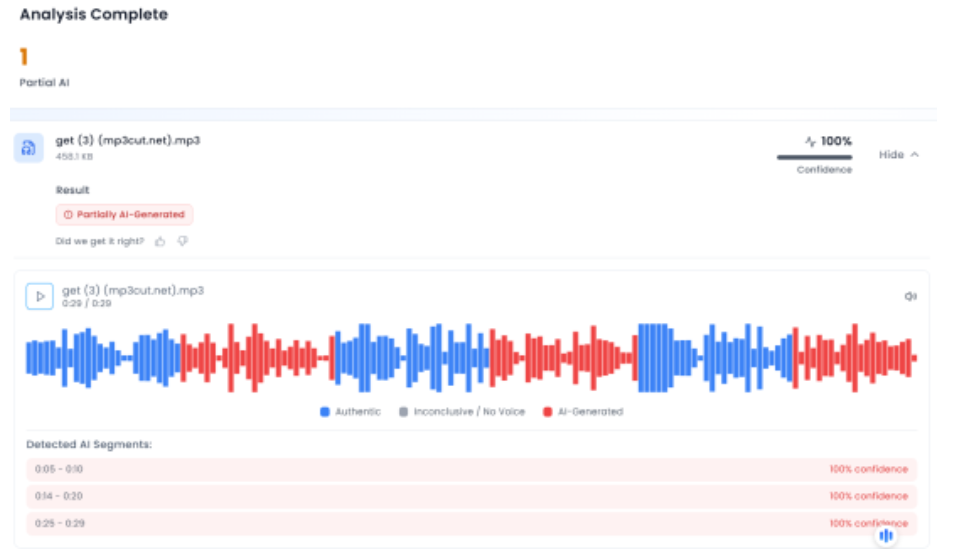
In the next phase of the research , the Desk extracted the audio from the viral clip and analysed it using the AI-based audio detection tool Aurigin. The analysis indicated that the voice in the viral video was partially AI-generated, further confirming that the clip had been tampered with.
Below is a screenshot of the result.
Conclusion
Multiple social media users shared a video claiming it showed Jammu and Kashmir Deputy Chief Minister Surinder Choudhary calling Prime Minister Narendra Modi an agent of the ISI. However, the CyberPeace found that the viral video was digitally manipulated. While the visuals were taken from a genuine media interaction with the leader, a fabricated audio track was overlaid to attribute the statements to him falsely.
